SimpleByteConversion User Manual
Complete English product manual for SimpleByteConversion
Supported Unreal Engine versions: 5.2–5.8
SimpleByteConversion is a lightweight byte-data conversion plugin for Unreal Engine’s Blueprint system.
It supports two-way conversion between native types/structs and bytes/Json, with every feature exposed as a Blueprint node.
🔧 Plugin Initialization
Section titled “🔧 Plugin Initialization”The plugin takes effect automatically after being enabled.
All functionality is accessed through Blueprint nodes; no subsystem or plugin lifecycle management is needed.
🔣 Supported Type Conversions
Section titled “🔣 Supported Type Conversions”📦 Native Types ↔ Byte Arrays
Section titled “📦 Native Types ↔ Byte Arrays”| Type | Conversion support |
|---|---|
int32 | To/from bytes |
int64 | To/from bytes |
float | To/from bytes |
double | To/from bytes |
bool | To/from bytes |
FString | To/from bytes (UTF-8 encoding) |
These functions suit custom protocols, lightweight storage, and binary communication.
Blueprint Example:
Section titled “Blueprint Example:”(Insert image: BasicTypeConversion.jpg)
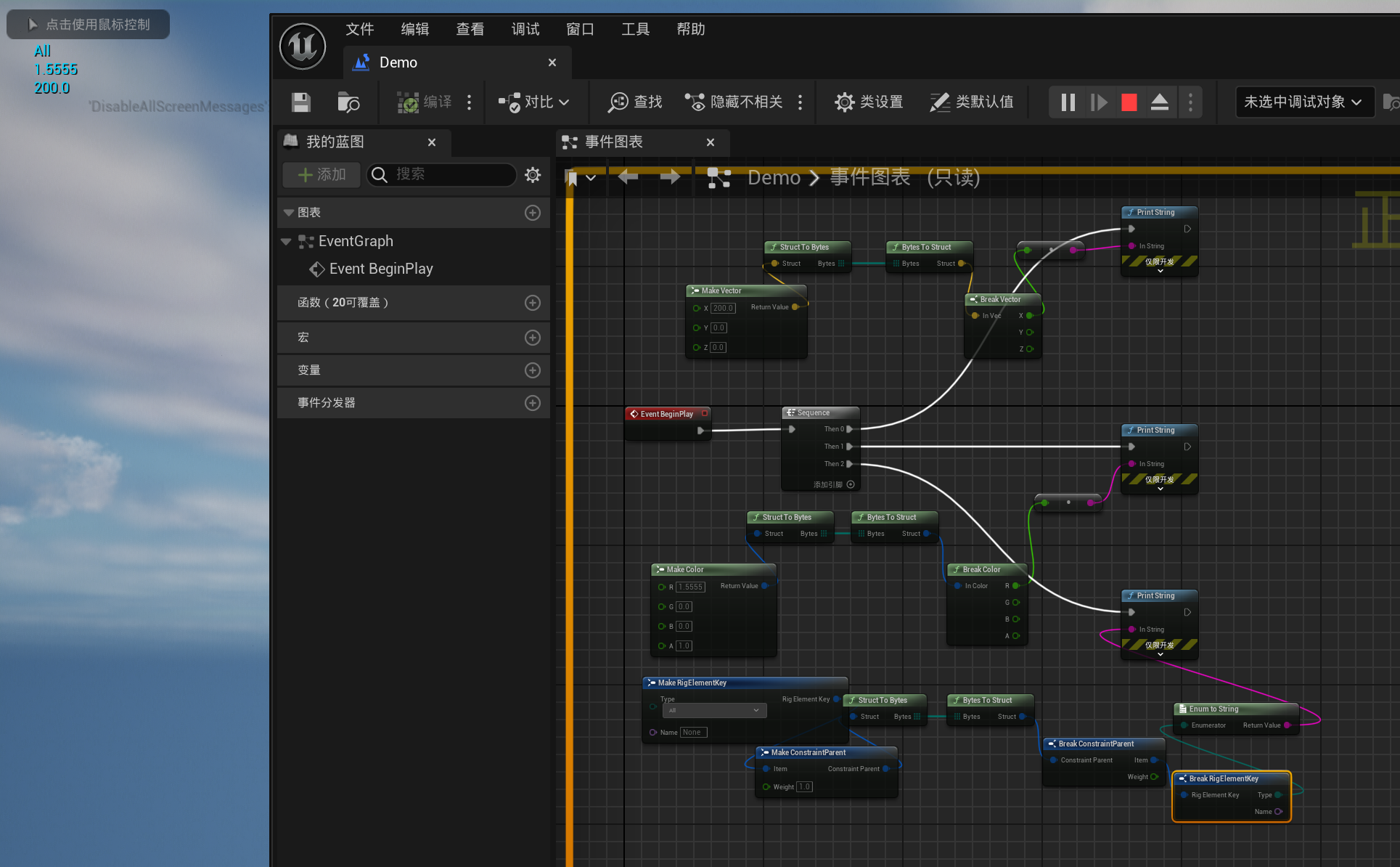
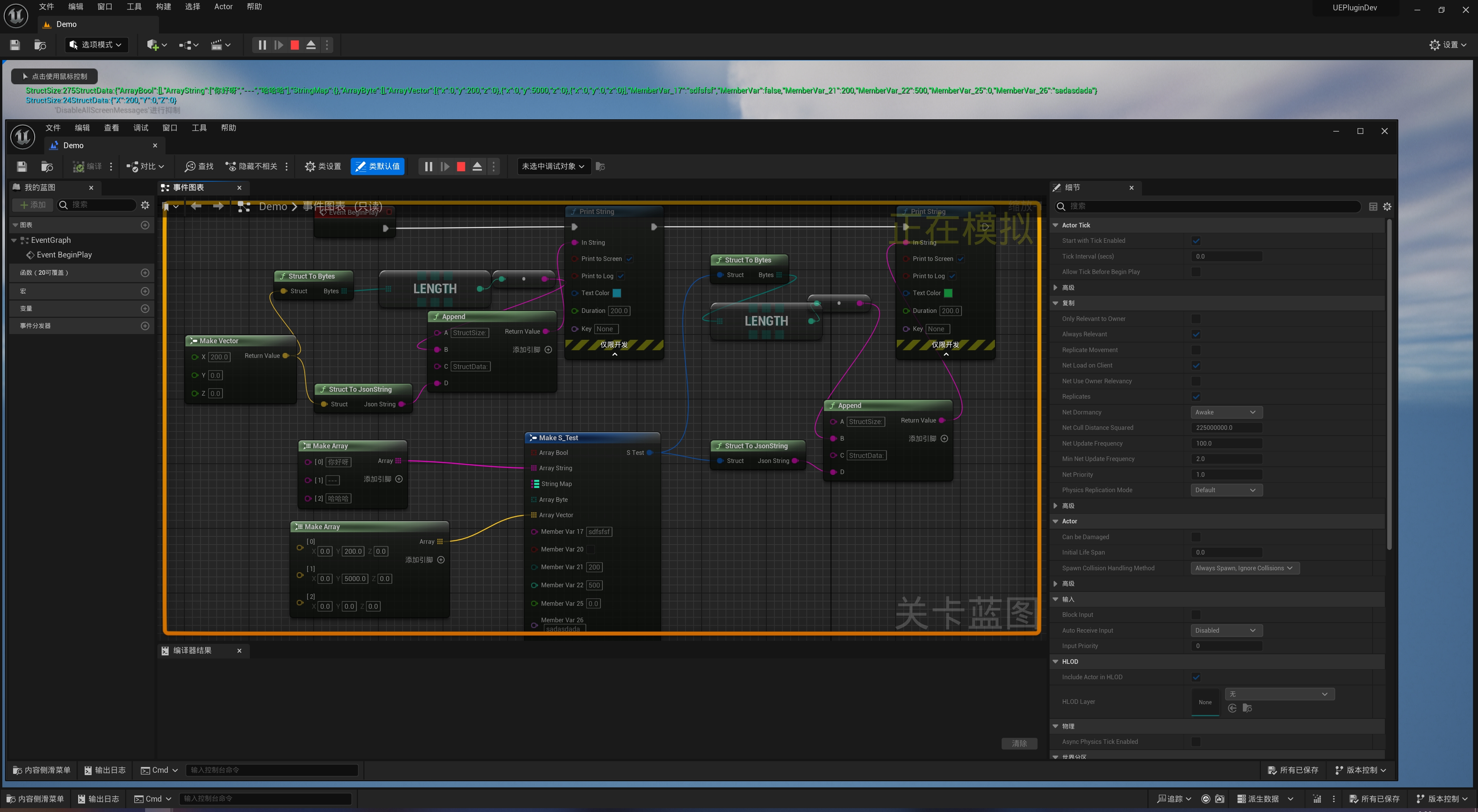
🧱 Structs ↔ Byte Arrays / Json Strings
Section titled “🧱 Structs ↔ Byte Arrays / Json Strings”The plugin supports any USTRUCT exposed to Blueprints:
- Convert to/from byte arrays:
Struct To Bytes/Bytes To Struct - Convert to/from JSON strings:
Struct To JsonString/JsonString To Struct
Unreal’s reflection system automatically serializes and deserializes fields while preserving original naming and floating-point precision.
⚠️ Unsupported: Structs containing object references such as
UObject*,TSoftObjectPtr, orTWeakObjectPtr, or asset handles such asFSoftObjectPath.
JSON Conversion Advantages:
Section titled “JSON Conversion Advantages:”| Feature | SimpleByteConversion | Native UE FJsonObjectConverter |
|---|---|---|
| Field names preserved | ✅ Yes | ❌ Converted to camelCase |
| Float/Double precision | ✅ float (9 digits), double (17 digits) | ❌ Lower default precision |
| Full Blueprint support | ✅ Yes | ⚠️ Partial support / C++ required |
🧪 Blueprint Node Overview (Image)
Section titled “🧪 Blueprint Node Overview (Image)”- All nodes are
BlueprintPure— no execution pins required - Easily compose them for networking, file access, or custom protocols
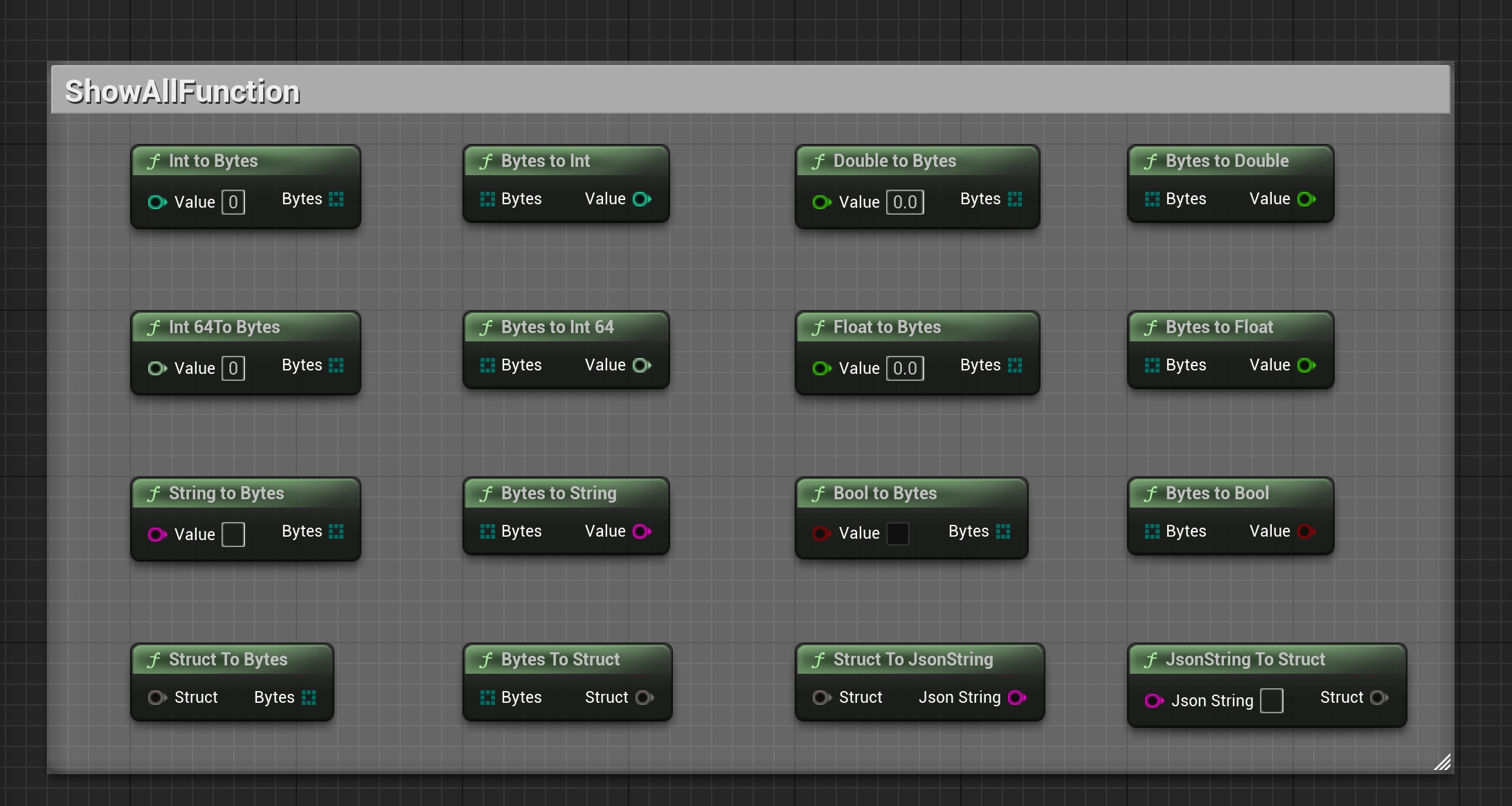
Blueprint Example:
Section titled “Blueprint Example:”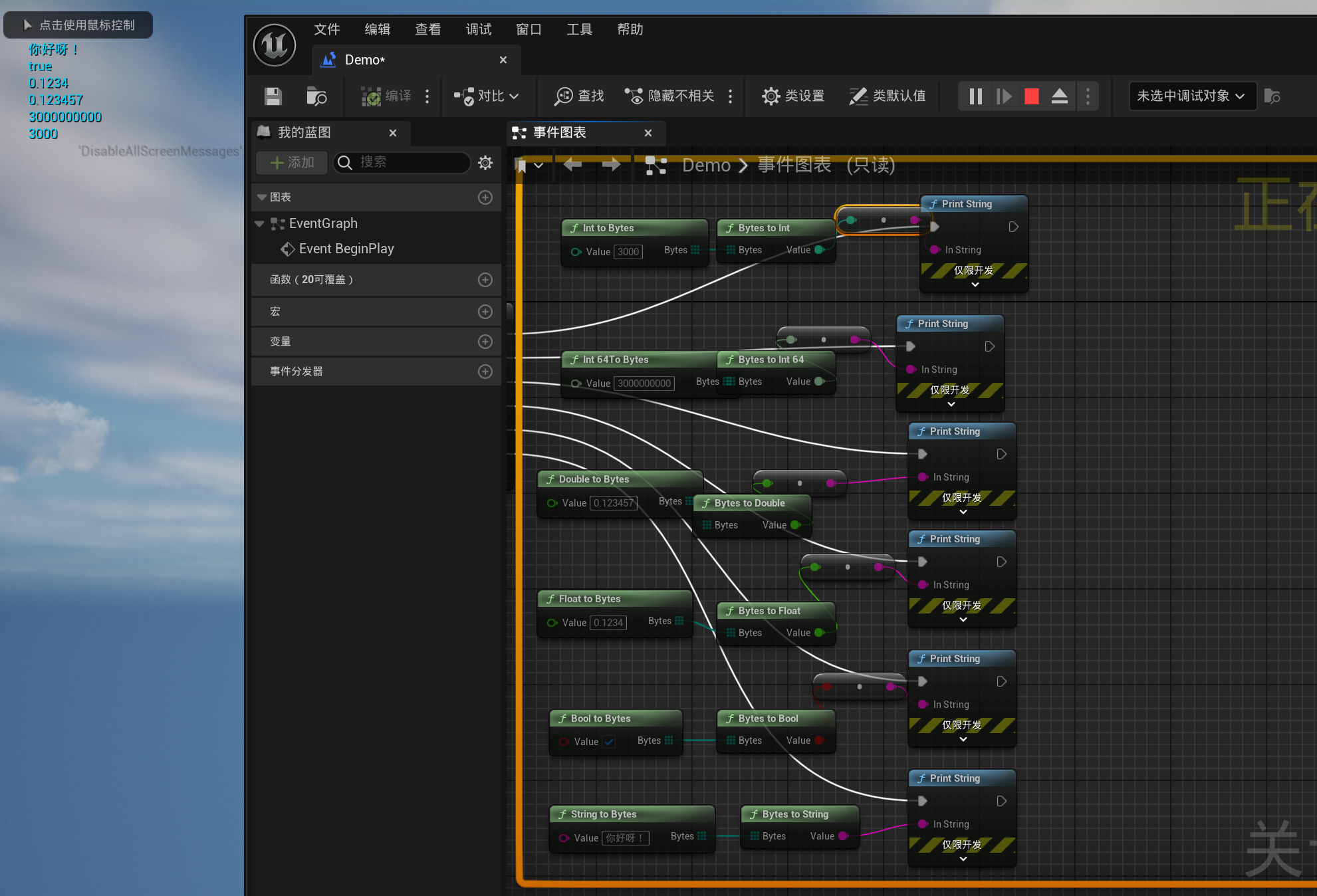
✅ Tips
Section titled “✅ Tips”StringToBytesandBytesToStringuse UTF-8 for safe cross-platform conversion- Combine
StructToBytesandStructToJsonStringfor debugging and network messages
🔧 Recommended Companion Plugins
Section titled “🔧 Recommended Companion Plugins”Works well with SimpleTCPClient and SimpleUDP.
Together, they let you send structured messages over TCP/UDP and decode them easily.
Version History
Section titled “Version History”Open Edit → Project Settings, go to SimpleByteConversion settings, and set Language to English or Chinese. English is the default. User-facing interfaces, prompts, notifications, and functional logs update immediately without restarting the editor; public API names and module startup/shutdown logs always remain in English.
Support
Section titled “Support”For usage questions or collaboration inquiries, visit the contact page.
- Contact: Contact and Collaboration
Supplementary Usage Instructions
Section titled “Supplementary Usage Instructions”SimpleByteConversion User Guide
Section titled “SimpleByteConversion User Guide”Basic Type Nodes
Section titled “Basic Type Nodes”Basic types provide two-way ToBytes and FromBytes conversion:
| Type | To bytes | Restore from bytes |
|---|---|---|
| int32 | IntToBytes | BytesToInt |
| int64 | Int64ToBytes | BytesToInt64 |
| float | FloatToBytes | BytesToFloat |
| double | DoubleToBytes | BytesToDouble |
| bool | BoolToBytes | BytesToBool |
| FString | StringToBytes | BytesToString |
All nodes are BlueprintPure and can be used directly as pure Blueprint functions without execution pins.
Struct Nodes
Section titled “Struct Nodes”- StructToBytes / BytesToStruct: Convert between structs and binary byte arrays.
- StructToJsonString / JsonStringToStruct: Convert between structs and JSON strings.
Installation and Usage
Section titled “Installation and Usage”Step 1: Install the Plugin
Section titled “Step 1: Install the Plugin”Copy the plugin folder into your project’s Plugins directory and restart the editor.
Step 2: Use in Blueprints
Section titled “Step 2: Use in Blueprints”All nodes are under the SimpleByteConversion category:
- Basic types: Search for
IntToBytes,FloatToBytes, etc. - Structs: Search for
StructToBytes,StructToJsonString, etc.
Step 3: Use in C++
Section titled “Step 3: Use in C++”In C++, call the ByteConverter utility class directly:
#include "ByteConverter.h"
// 基础类型TArray<uint8> Bytes;ByteConverter::IntToBytes(42, Bytes);
// 结构体FMyStruct Data;ByteConverter::StructToBytes(&Data, FMyStruct::StaticStruct(), Bytes);
// JSONFString JsonStr;ByteConverter::StructToJsonString(&Data, FMyStruct::StaticStruct(), JsonStr);
Call Examples
Section titled “Call Examples”Scenario 1: UDP/TCP Network Communication
Section titled “Scenario 1: UDP/TCP Network Communication”Before sending over the network, encode the structured data as a byte array:
1. Define a struct (e.g. FPlayerState: position, health, state)2. Use StructToBytes to convert the struct to TArray<uint8>3. Send the byte array over UDP/TCP4. Use BytesToStruct on the receiving end to restore the structScenario 2: Exchanging Data with Python
Section titled “Scenario 2: Exchanging Data with Python”Use JSON for cross-language data exchange:
1. UE: StructToJsonString converts game data to a JSON string2. Send it to the Python program over TCP/WebSocket3. Python: parse directly with json.loads()4. Reverse the process: Python json.dumps() → UE JsonStringToStructScenario 3: Data Persistence
Section titled “Scenario 3: Data Persistence”Serialize game saves to binary files:
1. Convert the save struct to a byte array with StructToBytes2. Write to disk with FFileHelper::SaveArrayToFile3. Load the byte array with FFileHelper::LoadFileToArray when reading4. Restore the save struct with BytesToStructUsage Boundaries
Section titled “Usage Boundaries”Both ends must agree on fields, encoding, and data format. For cross-language interaction, check conversion results using a fixed dataset first.