Overview
SimpleAssetNamer provides type- and path-based naming rules for UE assets. It checks new names on creation, import, or manual rename, and supports batch renaming of assets in existing directories.
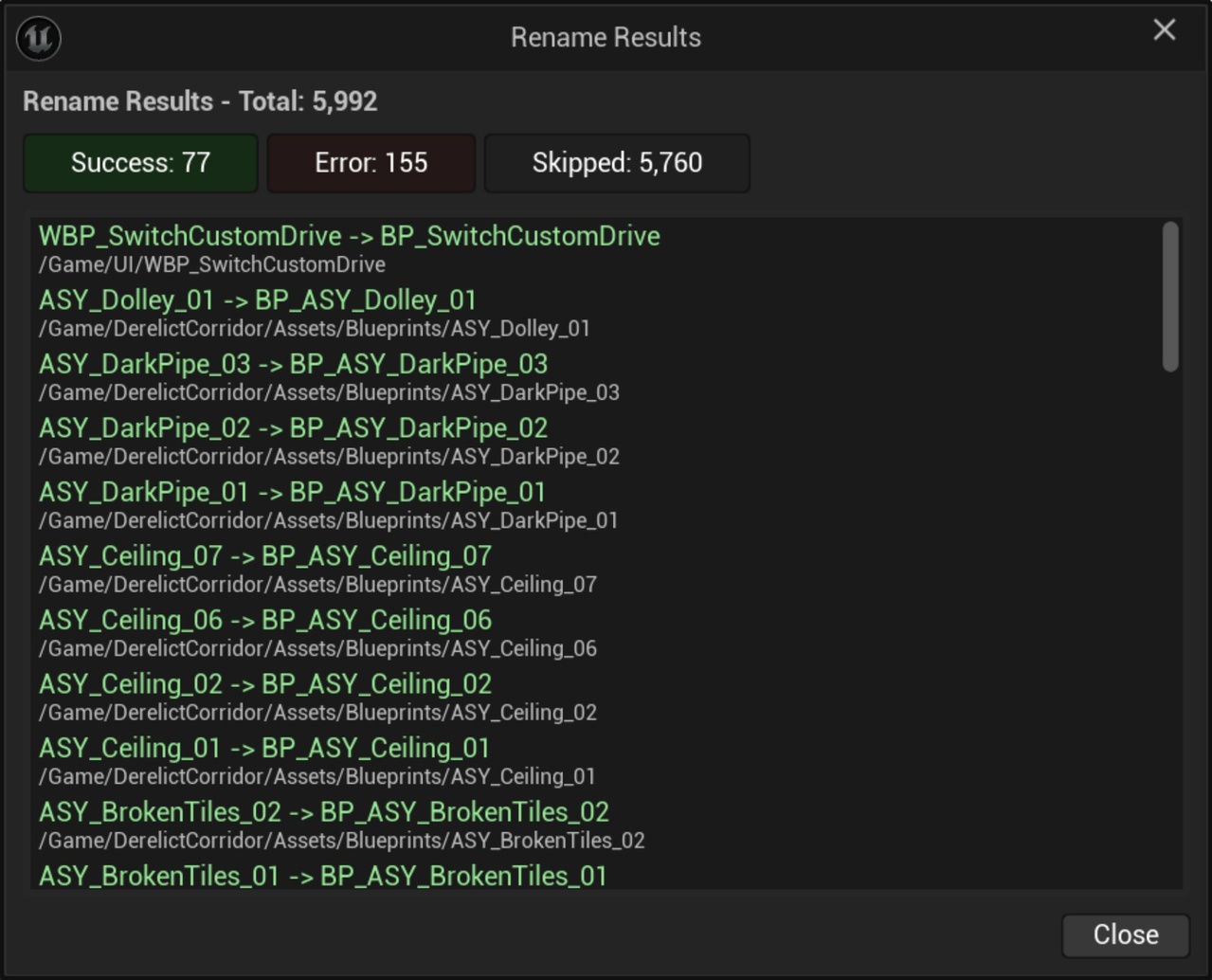
Rules include prefixes, suffixes, separators, and historical affixes. Results distinguish success, skipped items, and errors.
Background and goals
Blueprints, meshes, materials, and other assets often require different prefixes. Manual naming can mix capitalization, separators, and old conventions, while reorganizing many existing assets individually is time-consuming.
The work places conventions in configurable rules and supplies path filters, letting teams limit where rules apply and handle existing assets gradually.
Core capabilities
Generating names by type
Apply prefix, suffix, and separator rules by asset type. Historical affixes can also be recognized to help migrate from old naming conventions.
Automatic and batch processing
Automatic processing checks asset creation, import, and manual rename, while the batch action targets existing folders. Both generate names from current rules, supporting new and existing assets separately without requiring the whole vault of assets to be renamed at once.
Path and result controls
Path filters limit the scope, and successful, skipped, and failed results are reported separately so users can check assets that were not processed.
Use cases
It suits consistent naming in multi-person projects and migration from old affixes to new rules. Projects introducing conventions gradually can first verify selected content directories before expanding coverage.
Scope and limitations
Renaming changes asset names and may affect references. Check paths, rules, and version control state before batch operations in particular.
The tool reports naming operation results. Projects must still check references, levels, and scripts. Assets without matching rules or with target name conflicts cannot be assumed to be handled automatically.
See the usage guide for steps and parameters.