Overview
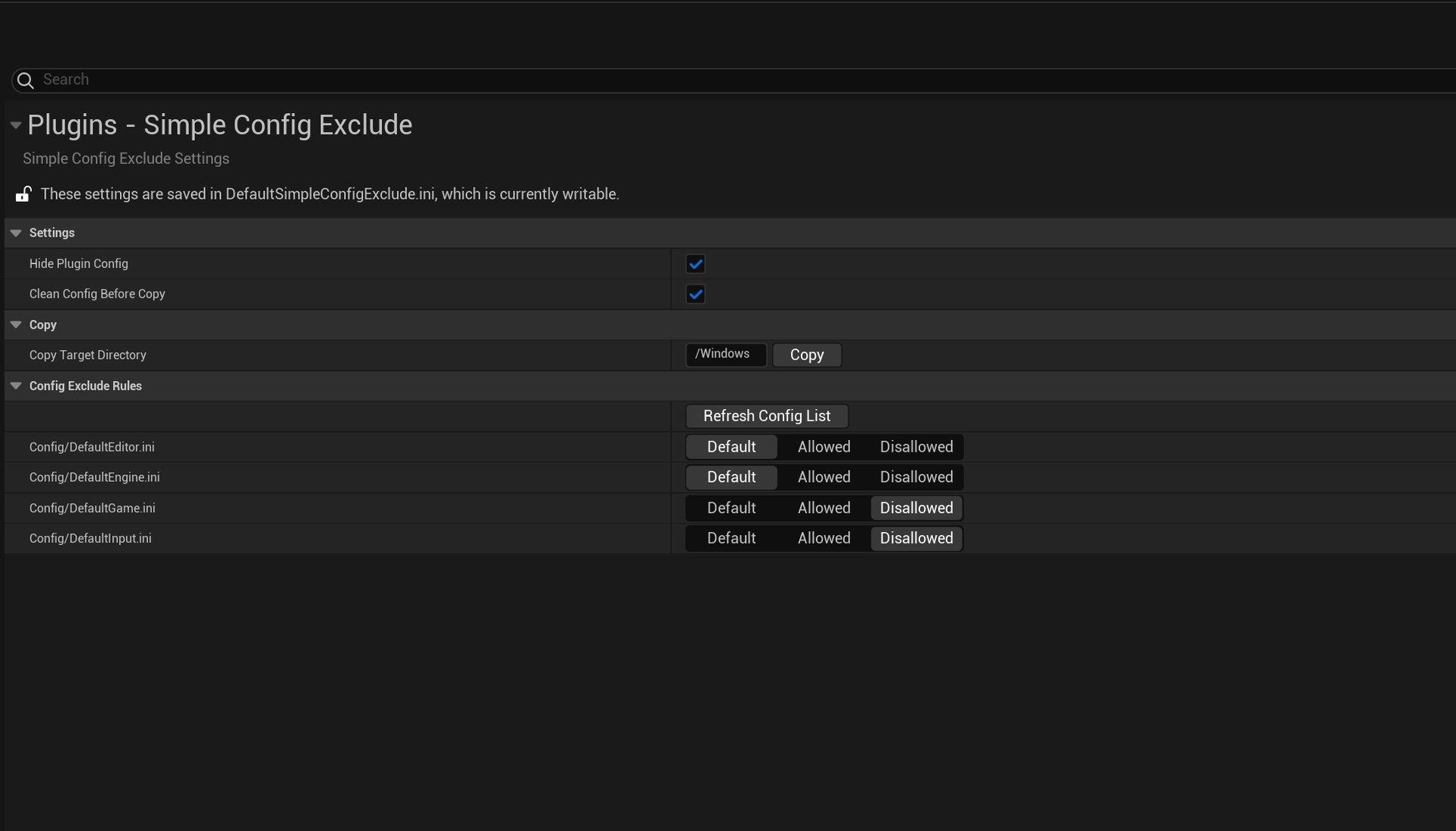
SimpleConfigExclude is an editor plugin for UE project packaging configuration. It lists ini files in the Config directory in Project Settings, allowing each to use default behavior, forced inclusion, or exclusion, and synchronizes those choices to packaging Staging rules.
Excluded files can also be copied to another target directory as needed for later deployment.
Background and goals
Projects often need different configurations for debugging, testing, and production. Manually maintaining inclusion and exclusion entries in DefaultGame.ini requires attention to file paths, existing rules, and editor caches.
Users can choose, file by file, which configurations ship with a package, then deliver excluded files separately as needed.
Core capabilities
Three-state selection
Each file can be Default, Allowed, or Disallowed. Default follows UE’s existing behavior; Allowed and Disallowed explicitly request inclusion and exclusion respectively.
The Project Settings list comes from scanning Config, making it easier to compare with actual files and check for omissions.
Synchronizing Staging rules
Configuration choices are saved as inclusion or exclusion rules used by UE packaging, with the settings state synchronized accordingly.
These changes to project configuration should still receive normal version review.
Copying excluded files
For ini files omitted from the base package but needed by some deployment environments, the tool supports copying to a specified directory. Users must confirm the destination and whether to clean its Config directory, then check output against the actual deployment environment.
Use cases
Development configuration, such as debug switches, profiling parameters, test server addresses, and development keys, can be excluded from production packages by file. Internal plugin configuration that does not need to ship can also be managed separately. When testing and production need different configuration sets, projects can first generate a base package without those files, then handle excluded items by environment and review packaging rules and deployment steps separately.
Scope and limitations
The plugin manages packaging rules and copying for ini files under Config.
Exclusion does not complete sensitive information protection: destination copies still need project access controls. State changes modify DefaultGame.ini. Before release, check actual package contents, copy destinations, and version control diffs.
See the usage guide for steps and parameters.