Overview
SimpleLevelSeqSmooth provides data filtering and smoothing for Unreal Engine Level Sequence, addressing curve jitter, skipped frames, and similar issues in motion capture, pose estimation, and animation post-processing.
Users select sequences in the Content Browser, process data with a chosen algorithm, and either overwrite the original sequence or generate a new one.
Background and goals
Captured or generated animation data may contain unwanted high-frequency changes. Adjusting curves individually by hand takes time and makes consistent processing across a batch difficult.
The plugin brings algorithm selection, parameter adjustment, and batch processing into one workflow. Users choose a smoothing strategy based on data characteristics, then check that necessary motion details remain.
Core capabilities
Multiple filtering methods
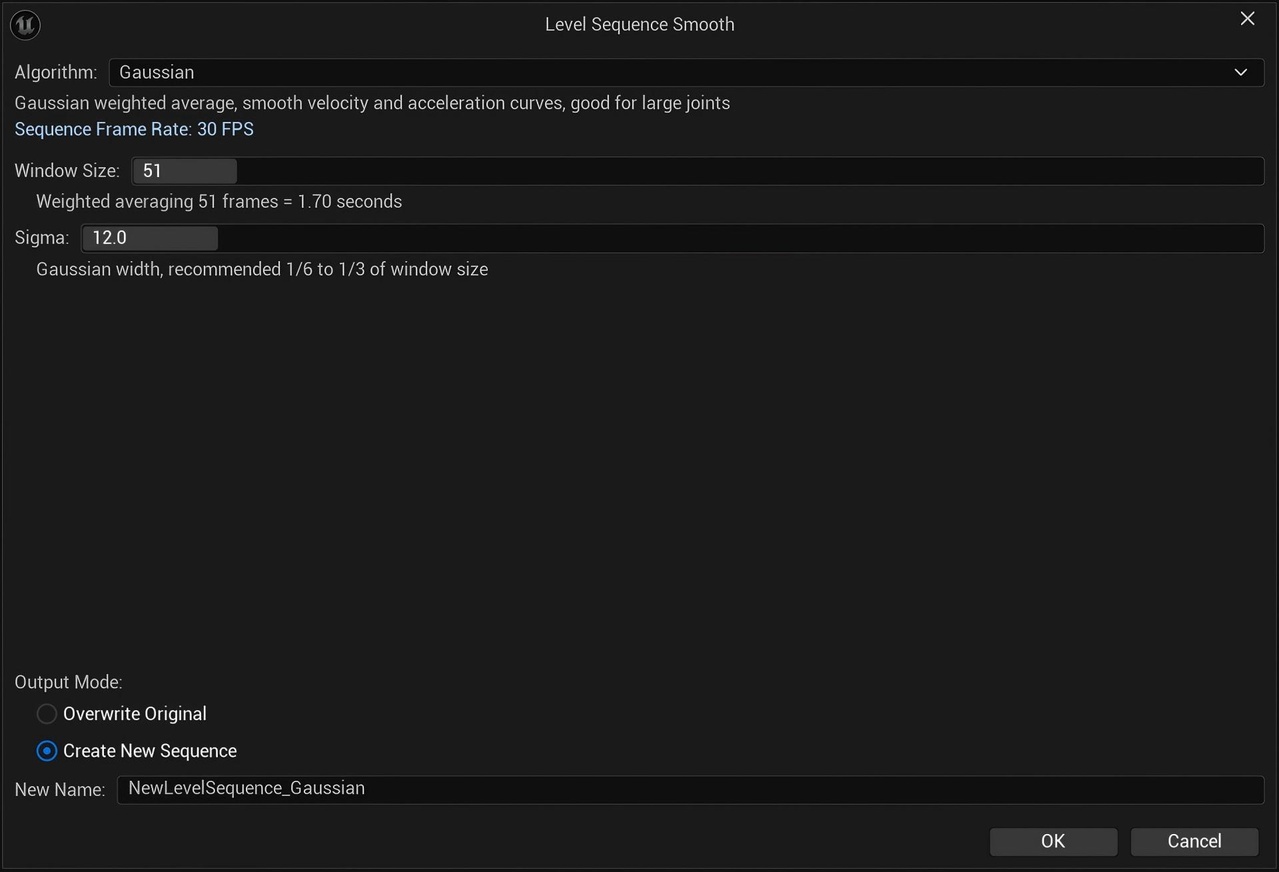
Twelve algorithms are provided, including moving average, Gaussian, median, Butterworth, Kalman, and One Euro filters.
They differ in how they handle spikes, continuous noise, and responsiveness. Choose based on the original curves and intended motion; a large algorithm selection does not mean any parameter set will fit every asset.
Sequence and parameter section processing
The tool supports batch processing of ControlRig Transform and Scalar parameter sections in Level Sequences and reads sequence frame rates.
Output options
Results can be written to the original sequence or saved as a new one. New sequences suit before-and-after comparisons; overwriting requires confirming that original data can be recovered. Outputs remain sequence assets for UE projects, and their effect should be checked in the target shot.
Use cases
It suits motion capture curve cleanup, post-processing of pose estimation results, and workflows applying consistent filtering to several Level Sequences.
For assets that need less jitter while retaining rapid motion, compare algorithms and parameter settings before choosing the final output.
Scope and limitations
The tool targets Level Sequence data and supported ControlRig parameter sections.
Filtering may also weaken genuine fast motion, and skipped frames may have causes beyond curve noise. Select algorithms, parameters, and overwrite behavior for each sequence; processed curves do not by themselves prove that motion quality has been reviewed.
See the usage guide for steps and parameters.