Overview
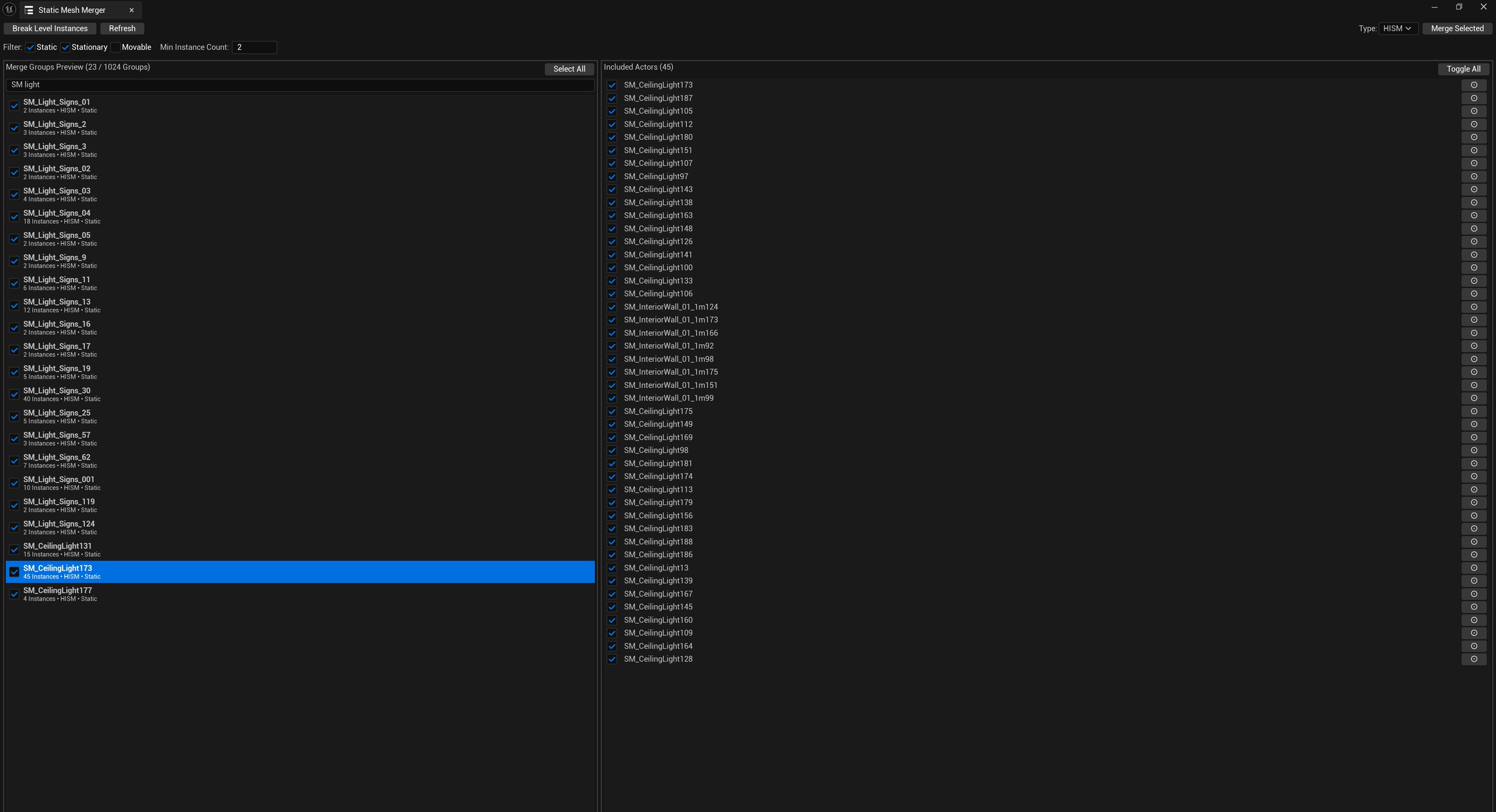
SimpleStaticMeshMerger organizes repeated StaticMeshActors in levels. It first groups merge candidates by mesh, materials, mobility, and collision settings for preview and filtering, then organizes selected objects as ISM/HISM instances.
The process operates on actual level Actors, allowing grouping to be reviewed before scene modifications rather than replacing objects in bulk based only on mesh names.
Background and goals
A scene may contain many individual Actors using the same model. Whether they can share an instance group also depends on material slots, mobility, and collision behavior. This tool presents those conditions together, helping level creators identify repeated objects to merge while allowing individual Actors to be excluded.
Assess instancing through loading and frame-rate measurements in the target project. Fewer objects do not imply performance improves by a fixed ratio.
Core capabilities
Handling nested scenes and refreshing previews
The tool supports recursively breaking apart nested LevelInstances and refreshing the merge preview of scene objects.
Strict grouping and manual filtering
Objects are grouped by mesh, materials, mobility, and complete collision settings. Users can filter groups in the preview and exclude individual Actors that should not be merged.
Creating instanced objects
Merging creates ISM/HISM Actors, copies relevant material, mobility, and collision settings, deletes participating original Actors, and selects the new objects for inspection.
Check the scene hierarchy and instance counts, then verify visuals and collision against expectations.
Use cases
It suits levels with many repeated static meshes where users want to filter by actual properties before instancing. For objects with mixed materials or collision settings, preview grouping and individual exclusions make scope easier to inspect than processing solely by model name.
Scope and limitations
Merging replaces original scene Actors. Keep a recoverable level version first and inspect materials, mobility, collision, and instance counts afterward.
Loading or runtime improvements depend on the scene and target device and require measurement. Group previews do not replace project acceptance checks after merging.
See the user guide for scene grouping, merge steps, and loading overhead.