UE: Fixing MetaHuman Head Clipping During Animation Playback in One Click
Introduction
This is a problem I recently found while working on a MetaHuman project. When the head and body play different animations at the same time, clipping occurs around the neck. I haven’t seen this issue in LevelSequence so far.
Solution
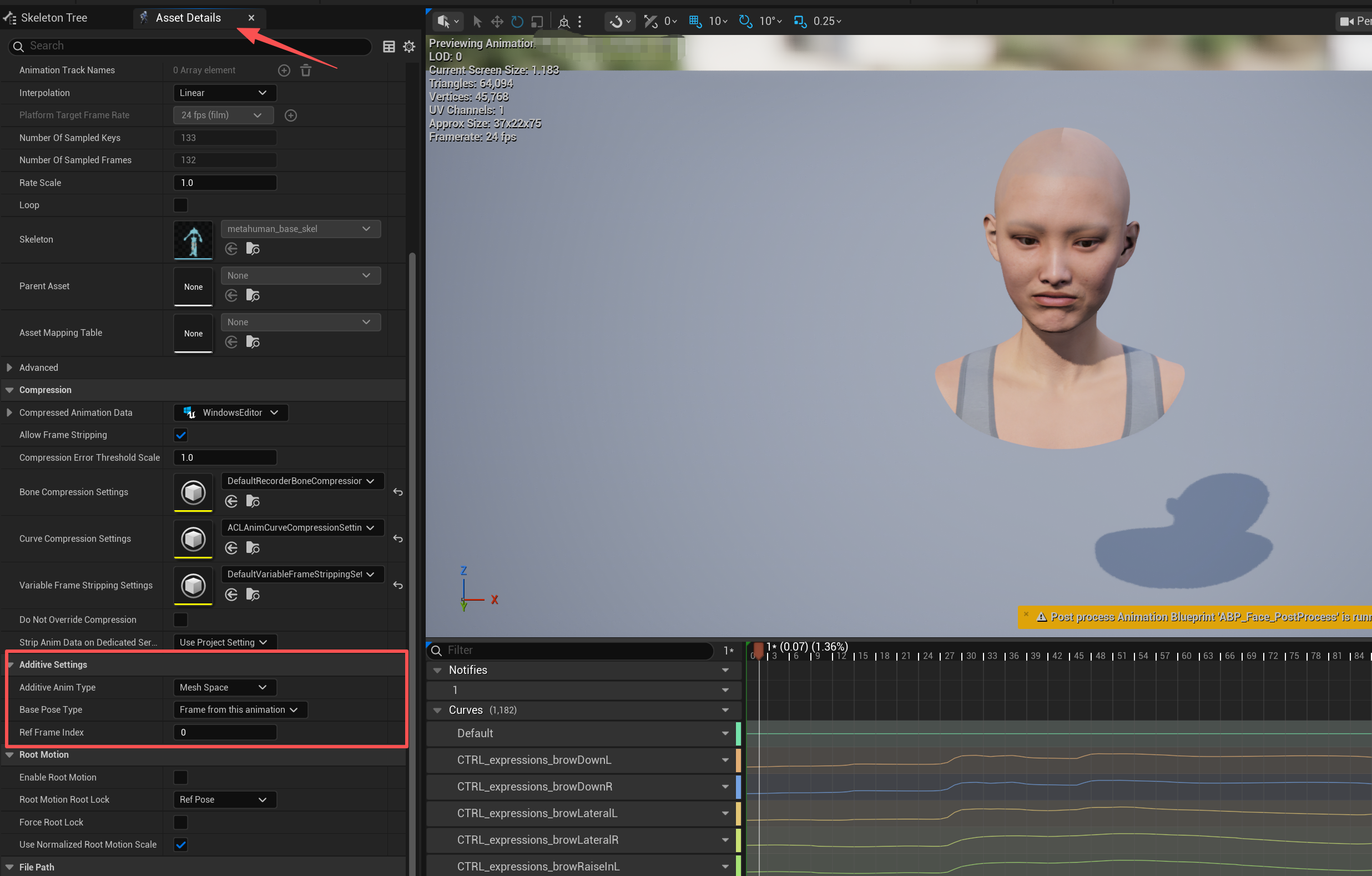
As shown, you just need to find that head animation and configure AdditiveSettings this way in its Details panel.
This method comes from YouTube. Here is the link: Combine Face and Body Animations - Metahumans in Unreal Engine 5.2
Although the video uses version 5.2, I personally tested it in version 5.6 and it works.
Batch Solution
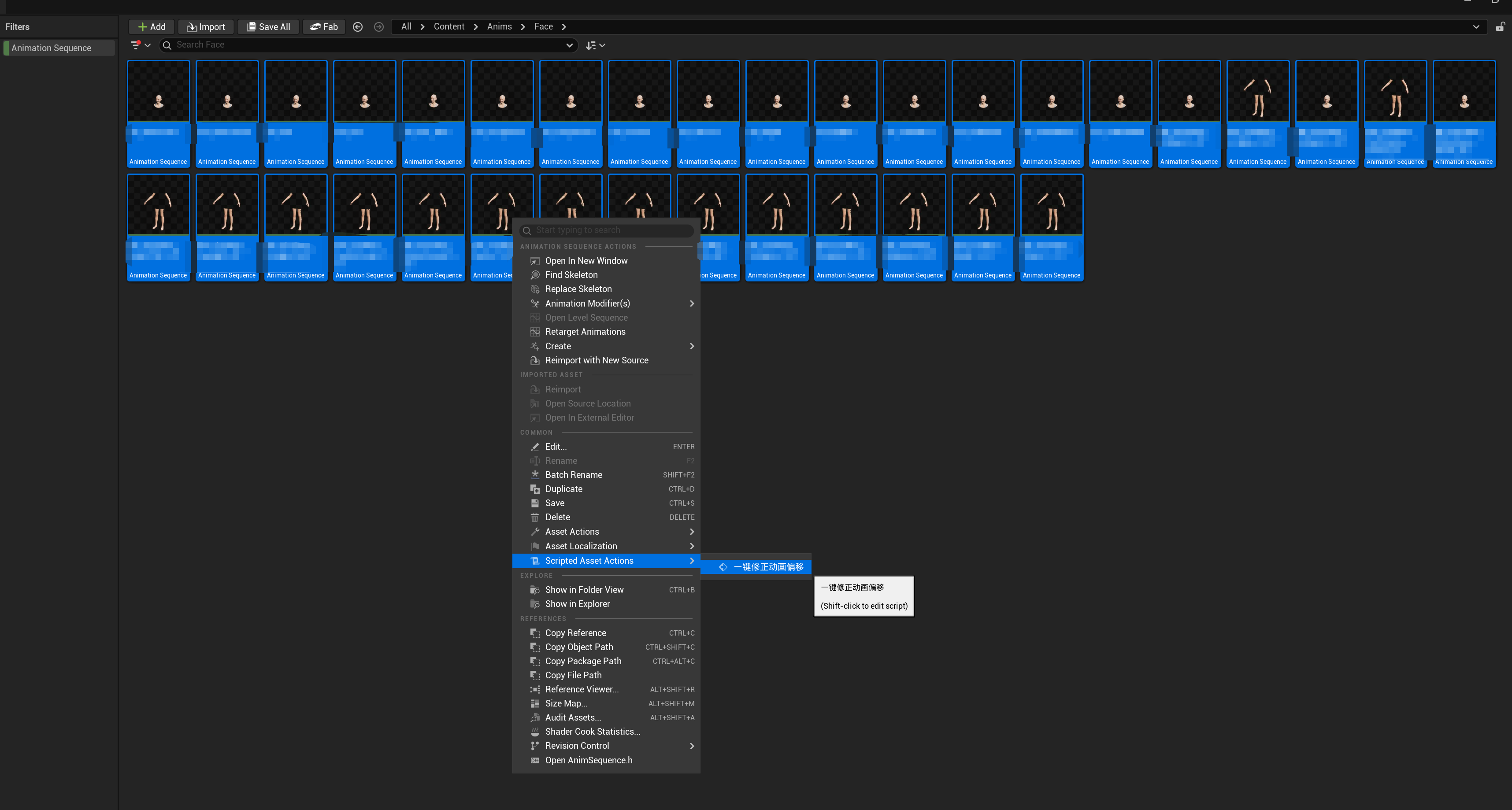
Next, let me explain how to fix this in a batch. Changing animations one by one is time-consuming and prone to mistakes, so here is a way to modify all animations at once.
Create a Script Blueprint
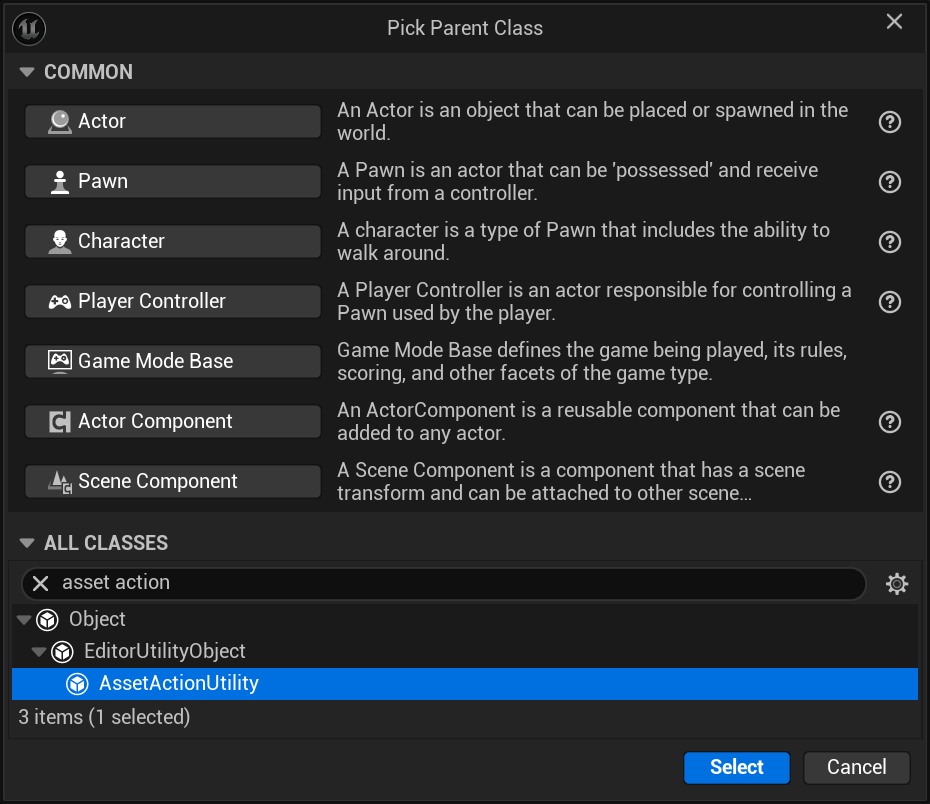
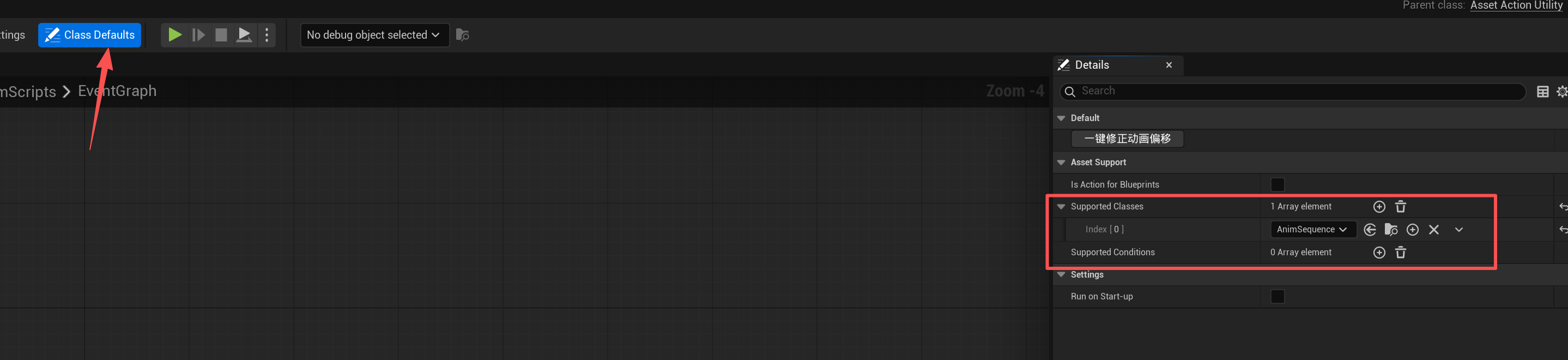
Change the Blueprint Settings
Create the Execution Function
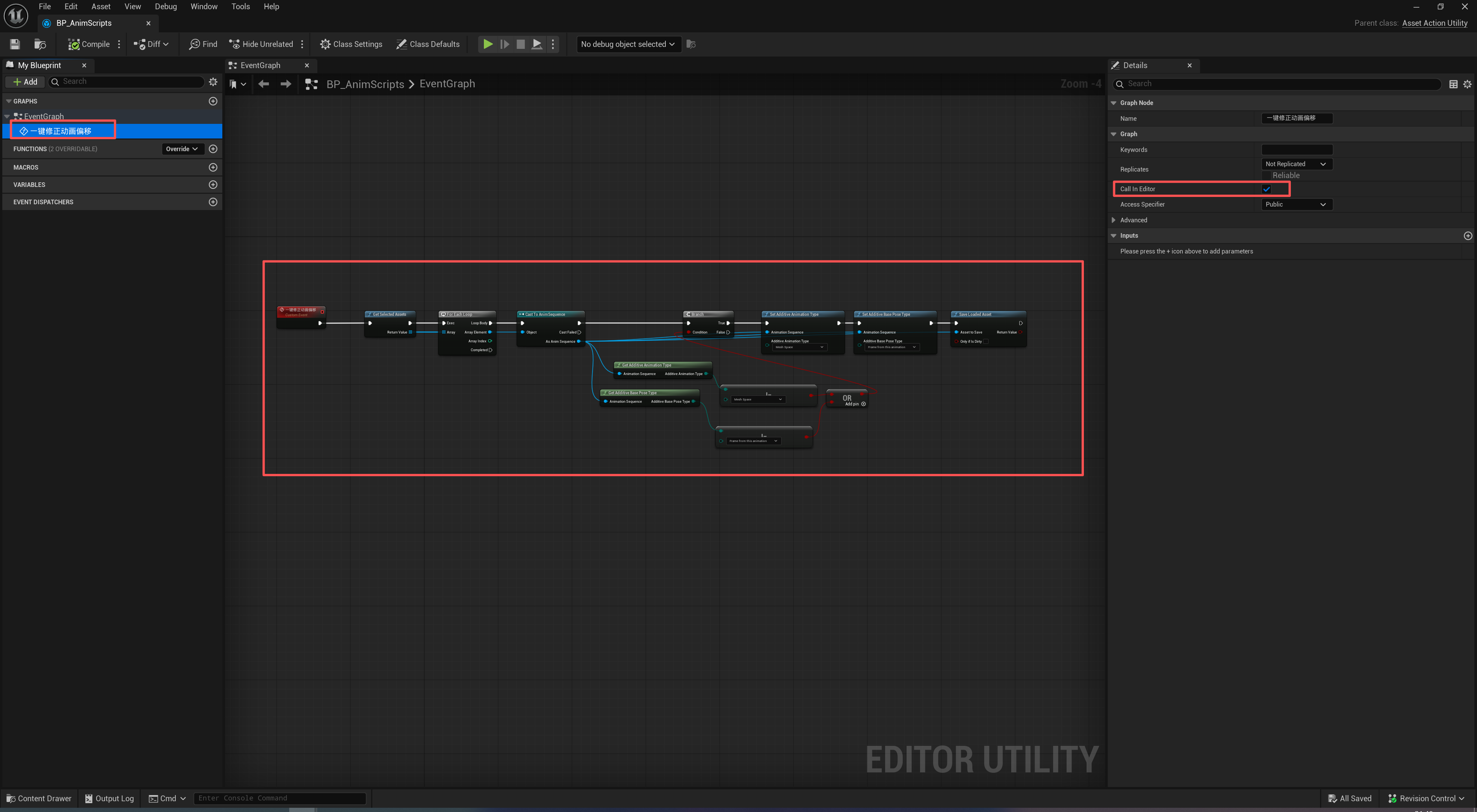
Final Result
Thanks for reading. Feel free to like, follow, and bookmark, and discuss any questions in the comments.
If this article helped you, click here to donate and support the author.
