UE: Fixing Missing Context in UObject Blueprints
Problem Overview
Normally, when you create a Blueprint derived from UObejct, you will find that you cannot get the PlayerController
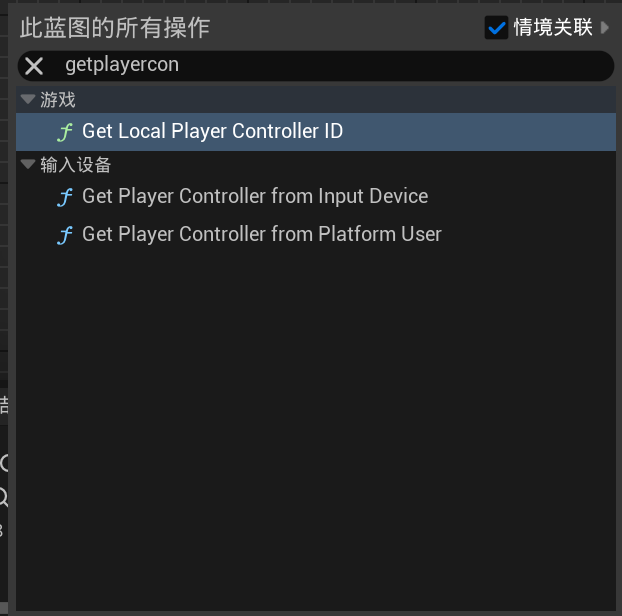
You also cannot create UI without an error

This happens because the parent class does not override GetWorld, so the Blueprint compiler cannot obtain the context, causing an error.
Solution
Once the cause is known, the problem is easy to solve: simply override GetWorld in the parent class. However, there are a few things to keep in mind
Add this in the .h file
virtual UWorld* GetWorld() const override;
Add this in the .cpp file
UWorld* UAIFlow::GetWorld() const
{
    if (IsTemplate() || !GetOuter())
    {
       return nullptr;
    }

    return GetOuter()->GetWorld();
}
Note that you cannot simply return directly here; that will not directly solve the problem. It must be written this way.
In this case, I create the object in an Actor, so GetOuter points directly to that Actor, allowing me to get GetWorld correctly. You therefore need to write the return here according to your own situation.
Thanks for reading. Feel free to like, follow, bookmark, and discuss questions in the comments.
If this article helped you, click here to donate and support the author.
