UE: Seamless Map Travel
How It Works
Seamless map travel differs from traditional level streaming. With level streaming, sublevels are placed within a map, and different maps are switched by controlling the loading and unloading of those sublevels
With seamless map travel, switching maps first takes you to a simple map, loads the destination map in the background, and then switches to that map once loading is complete
Settings
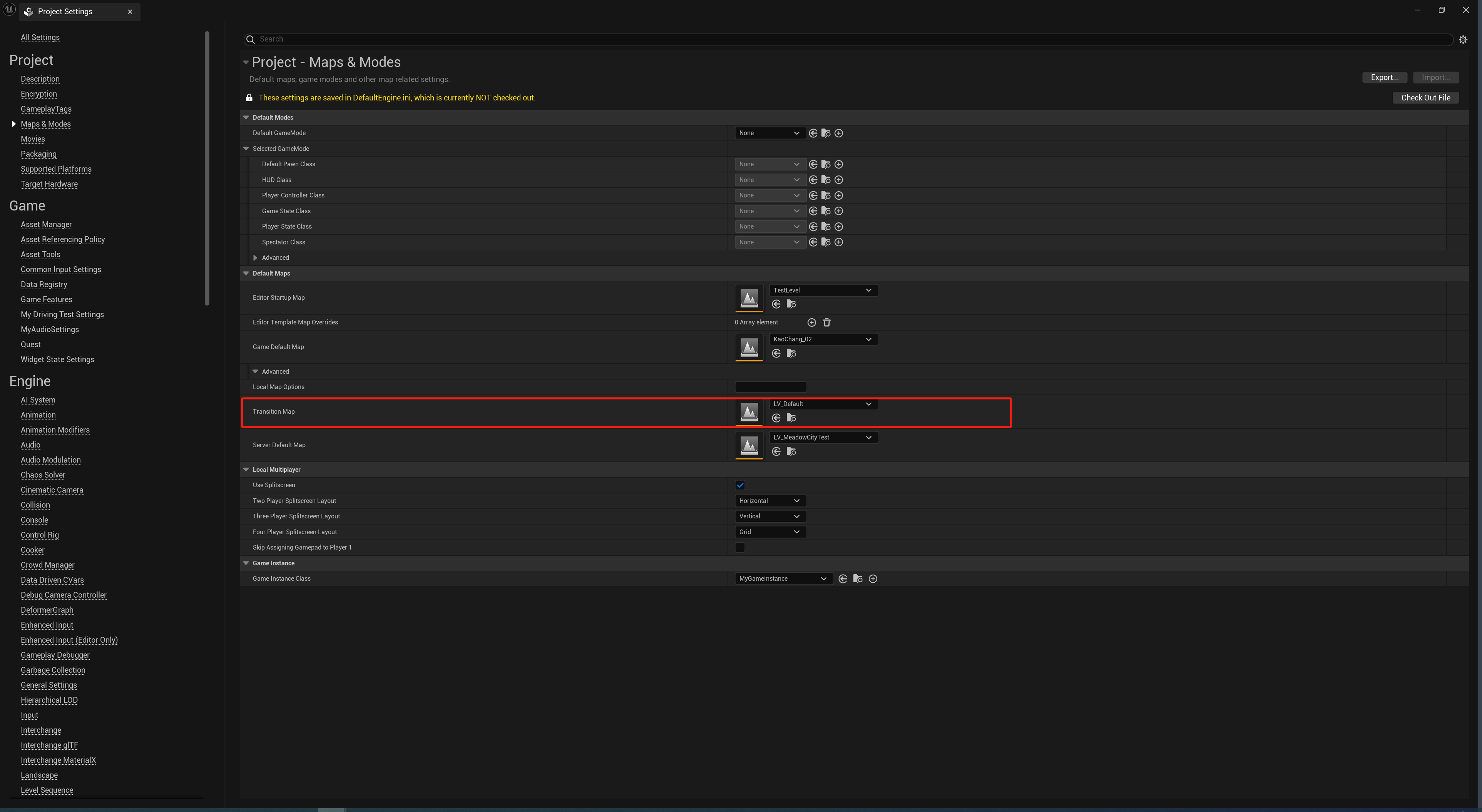
The intermediate loading map for seamless travel can be configured in Project Settings under Maps -> Advanced -> TransitionMap. If none is configured, a default empty map is created
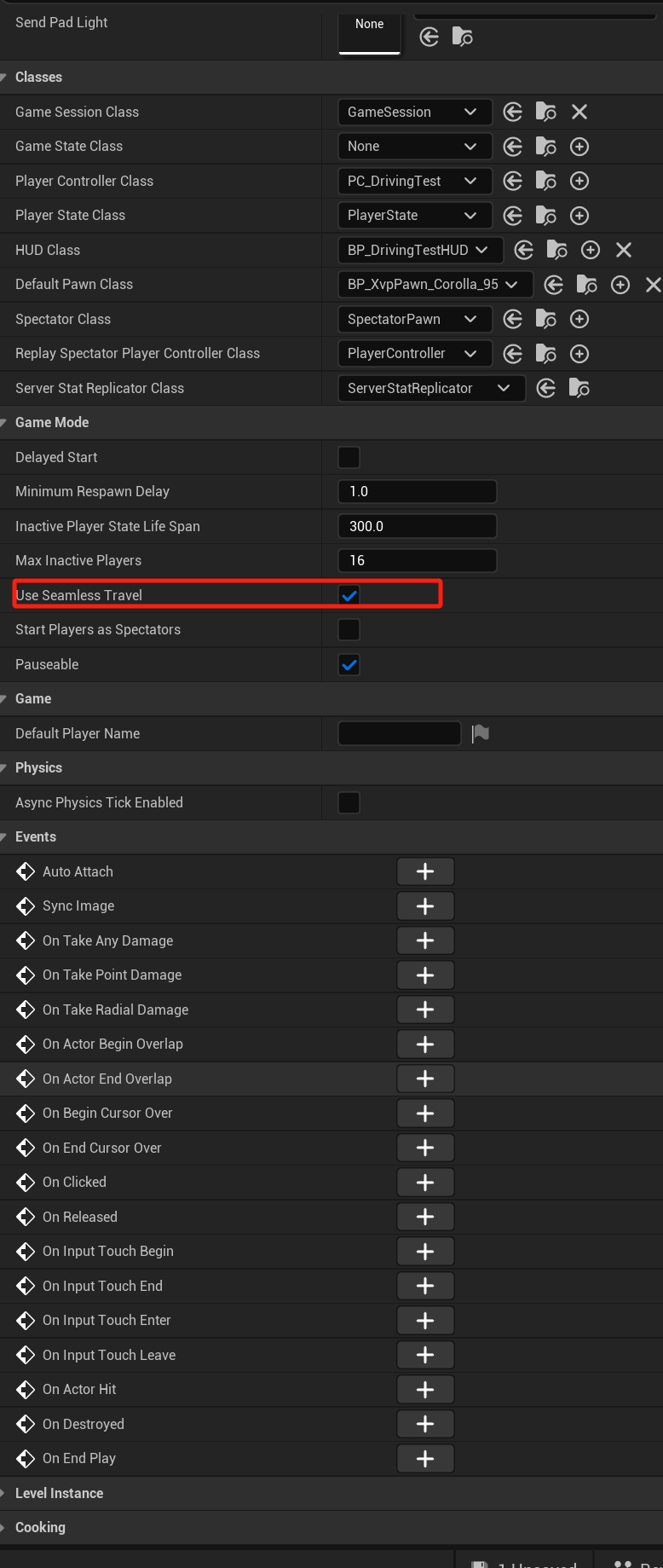
You also need to enable UseSeamlessTravel in GameMode
Note that streaming may not work in PIE editor mode, with a warning displayed. In that case, follow the warning to enable PIE streaming

Code Implementation
Because this function is not exposed to Blueprints, you need to add a function to call it yourself
UFUNCTION(BlueprintCallable, meta=(WorldContext="WorldContextObject", CallableWithoutWorldContext))
static void OpenMap(UObject* WorldContextObject, TSoftObjectPtr<UWorld> Map);
void UMyBlueprintFunctionLibrary::OpenMap(UObject* WorldContextObject, TSoftObjectPtr<UWorld> Map)
{
	if(const APlayerController* PlayerController = Cast<APlayerController>(UGameplayStatics::GetPlayerController(WorldContextObject, 0)))
	{
		PlayerController->GetWorld()->SeamlessTravel(FPackageName::ObjectPathToPackageName(Map.ToString()), true);
	}
}
Notes
When loading the intermediate map, all actors in the starting map are unloaded, while functions such as HUD and PlayerController are retained. If you want a loading UI, you can implement it in HUD
When the intermediate map loads, none of its logic or actors are loaded, but WorldSubsystem loading and unloading execute normally
I haven’t found a way to query the specific time required by this method yet
If you need to know when the new map has finished loading, see the documentation for the function being called; it states which functions need to be overridden
Thanks for reading. Feel free to like, follow, and bookmark, and discuss any questions in the comments.
If this article helped you, click here to donate and support the author.
