UE: A Simple C++ MVVM Application
This article explains how to create a simple, usable MVVM object in C++. The following steps were tested in UE5.5.
Declare the Plugin Module
To use MVVM in C++, first declare that you are using the plugin.
"Plugins": [
    {
       "Name": "ModelViewViewModel",
       "Enabled": true
    }
]
Then declare the ModelViewViewModel module in build.cs.
Class Definition
UCLASS(BlueprintType)
class PHONESIMULATOR_API UPhoneHomeViewModel : public UMVVMViewModelBase
{
	GENERATED_BODY()
}
Define Properties
protected Properties
Defining them in protected works the same as defining them in public.
protected:
	/** 当前时间文本 */
	UPROPERTY(BlueprintReadWrite, FieldNotify, Setter, Getter)
	FText CurrentTime;
private Properties
For properties defined in private, remember to add meta=(AllowPrivateAccess=“true”).
private:
	/** 运营商名称 */
	UPROPERTY(BlueprintReadWrite, FieldNotify, Setter, Getter, meta=(AllowPrivateAccess="true"))
	FText CarrierName;
Getter Function Implementation
A Getter function takes the form Get + property name, or you can customize the function using Getter=function name. Note that it does not need the UFUNCTION annotation.
public:
    /** 获取当前时间文本(格式:HH:MM) */
    FText GetCurrentTime() const { return CurrentTime; }

    /** 获取运营商名称 */
    FText GetCarrierName() const { return CarrierName; }
Setter Function Implementation
A Setter function takes the form Set + property name, or you can customize the function using Setter=function name. Note that it does not need the UFUNCTION annotation.
public:
	/** 设置当前时间 */
	void SetCurrentTime(const FText& NewTime);

	/** 设置运营商名称 */
	void SetCarrierName(const FText& NewName);
Unlike Get, the set implementation needs to trigger the notification macro manually.
void UPhoneHomeViewModel::SetCurrentTime(const FText& NewTime)
{
	if (UE_MVVM_SET_PROPERTY_VALUE(CurrentTime, NewTime))
	{
		UE_LOG(LogTemp, Log, TEXT("[PhoneHomeViewModel] 时间已更新: %s"), *NewTime.ToString());
	}
}

void UPhoneHomeViewModel::SetCarrierName(const FText& NewName)
{
	if (UE_MVVM_SET_PROPERTY_VALUE(CarrierName, NewName))
	{
		UE_LOG(LogTemp, Log, TEXT("[PhoneHomeViewModel] 运营商已更新: %s"), *NewName.ToString());
	}
}
Blueprint Binding
Set the Model
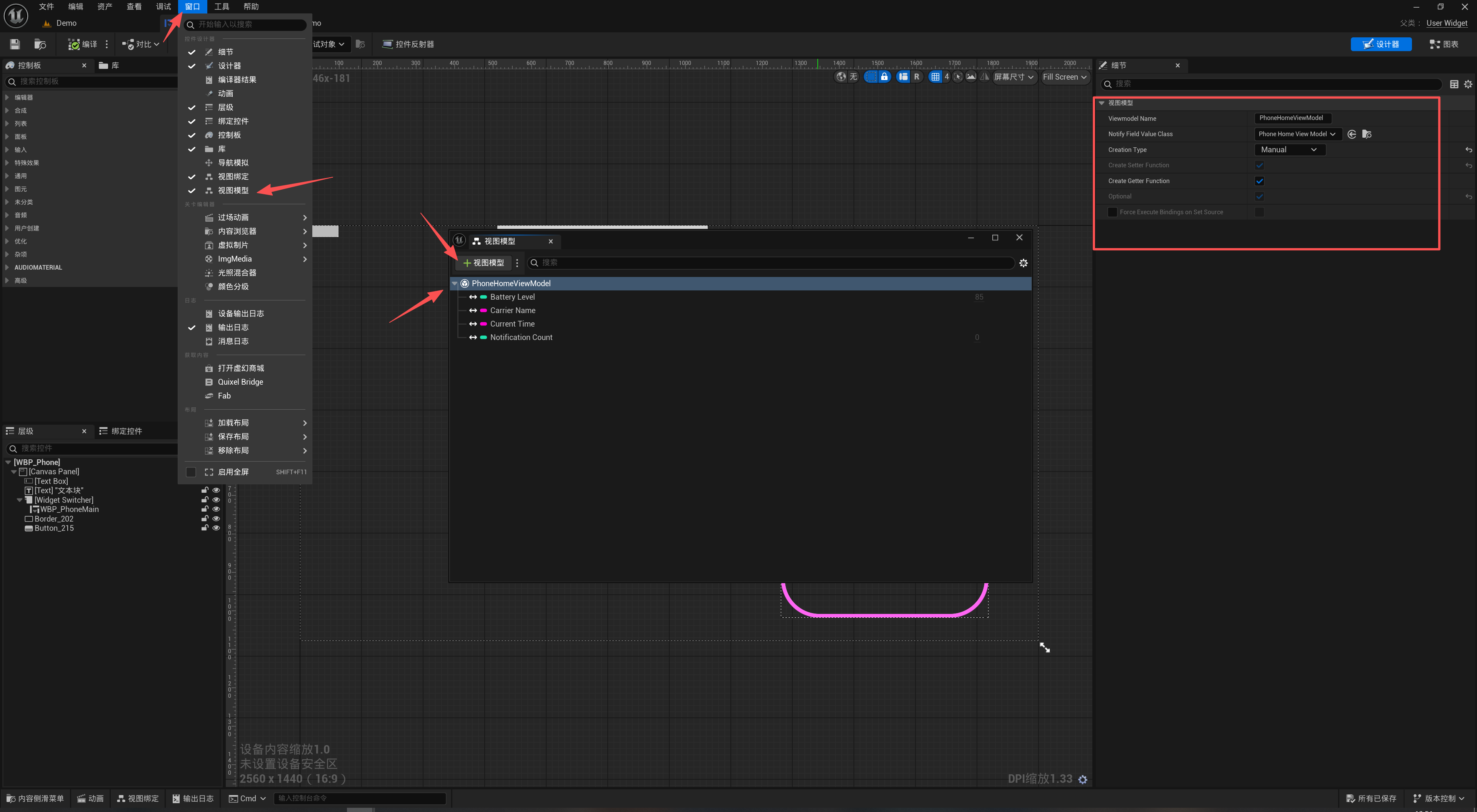
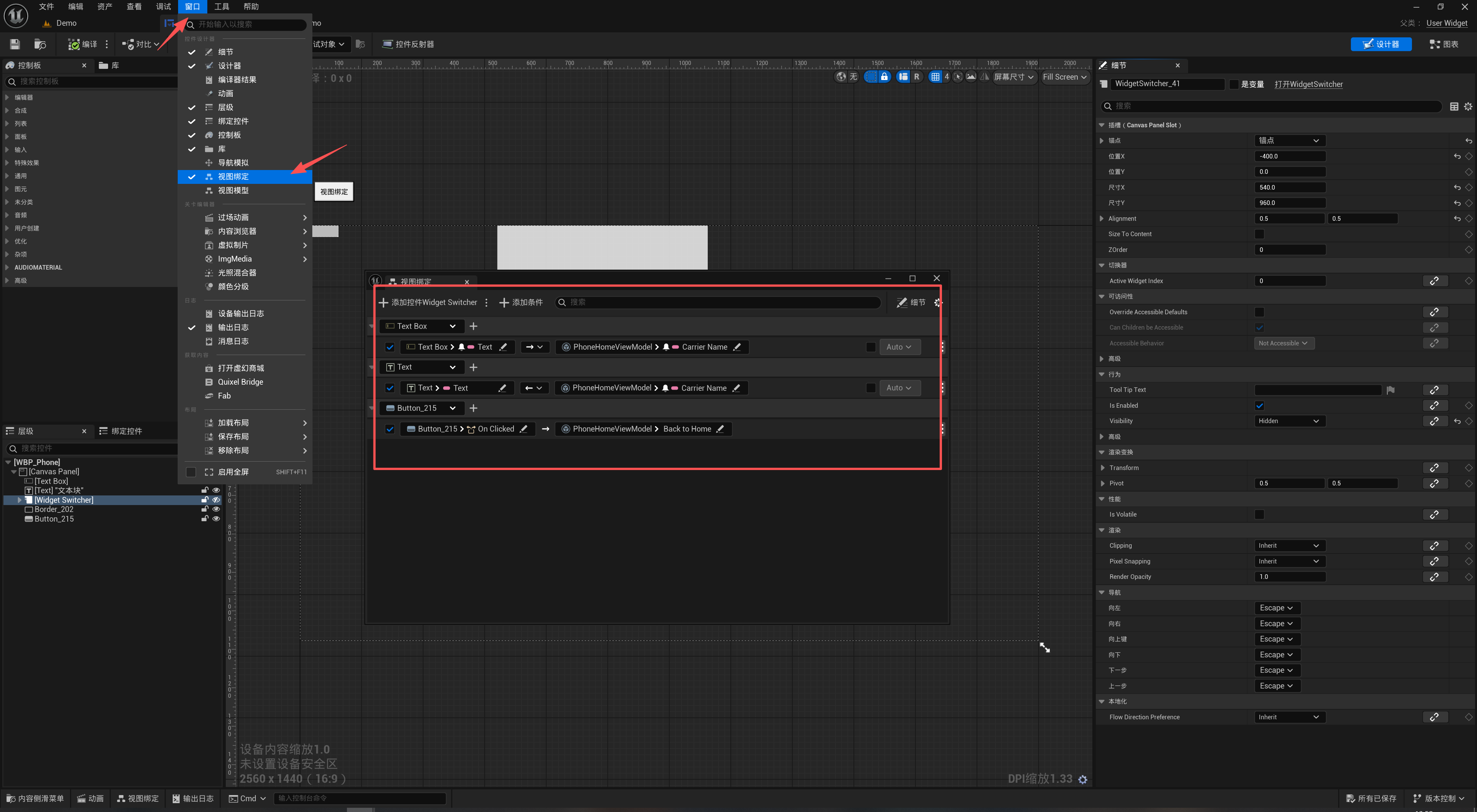
Set Up the Binding
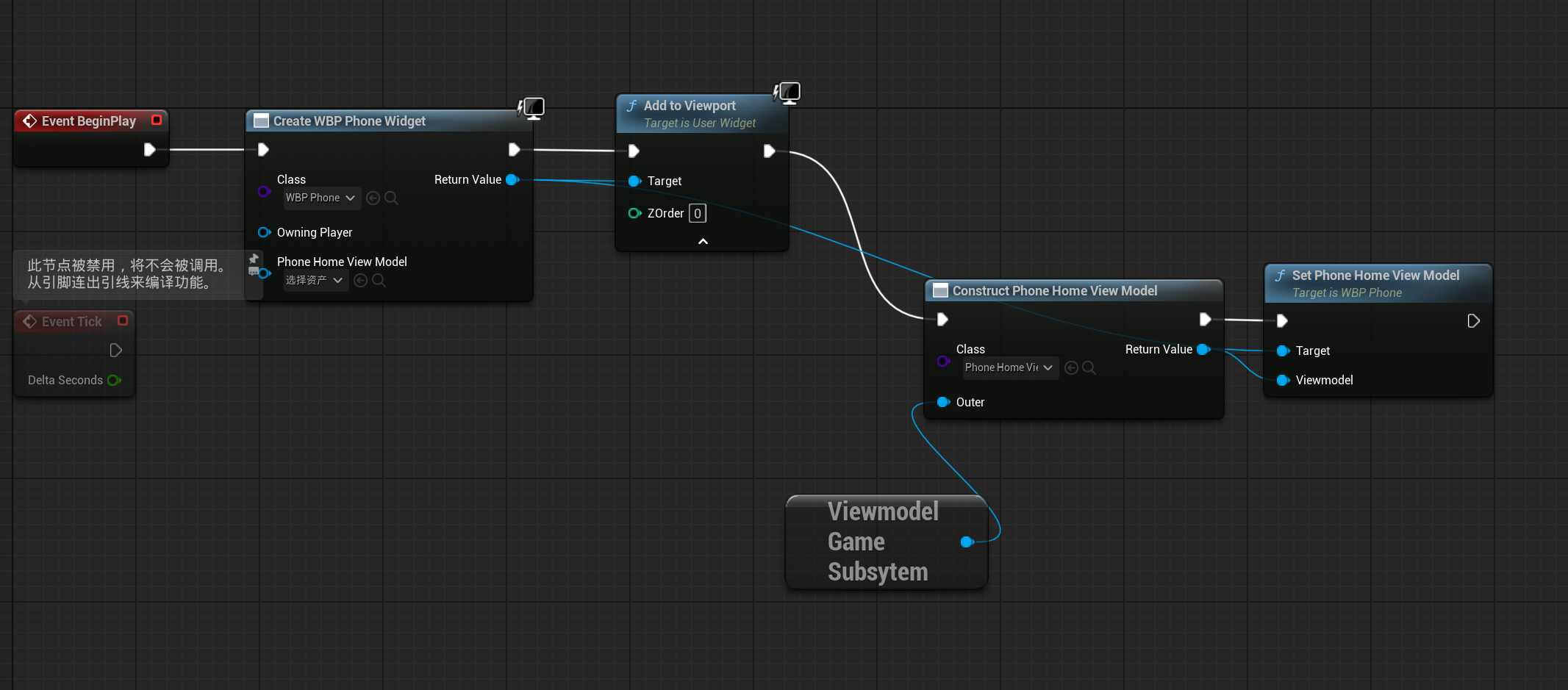
Manually Create and Activate a ViewMode
Blueprint
C++
void AMyHUD::BeginPlay()
{
    Super::BeginPlay();

    // 1. 创建ViewModel
    PhoneHomeVM = NewObject<UPhoneHomeViewModel>(this);

    // 2. 初始化数据
    PhoneHomeVM->SetCarrierName(FText::FromString("中国移动"));
    PhoneHomeVM->SetBatteryLevel(85);
    PhoneHomeVM->SetCurrentTime(FText::FromString("12:00"));

    // 3. 创建Widget
    UUserWidget* PhoneWidget = CreateWidget<UUserWidget>(GetWorld(), PhoneWidgetClass);

    // 4. 设置ViewModel(关键)
    if (PhoneWidget)
    {
        UMVVMSubsystem* MVVMSubsystem = GEngine->GetEngineSubsystem<UMVVMSubsystem>();
        if (MVVMSubsystem)
        {
            // 方法A:通过View获取并设置
            if (UMVVMView* View = MVVMSubsystem->GetViewFromUserWidget(PhoneWidget))
            {
                View->SetViewModel(FName("PhoneHomeViewModel"), PhoneHomeVM);
            }
        }

        PhoneWidget->AddToViewport();
    }
}
Result
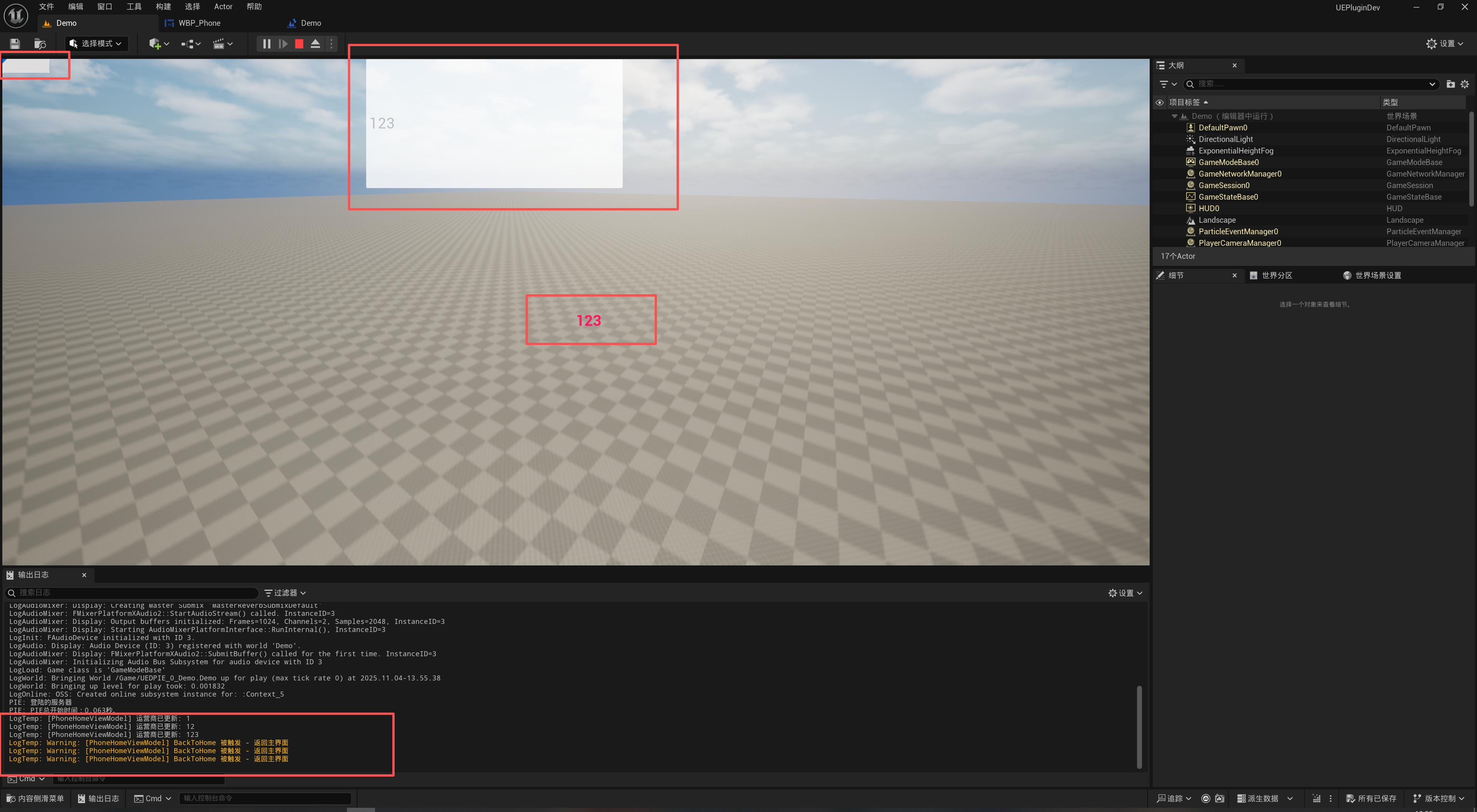
Reference Documentation
UMG Viewmodel for Unreal Engine | Unreal Engine 5.6 Documentation | Epic Developer Community
Thanks for reading! Likes, follows, and bookmarks are welcome. Feel free to discuss any questions in the comments.
If this article helped you, click here to donate and support the author.
