UE: A Small Tip for Chinese-English Bilingual Settings
I have noticed a lot of newcomers to UE lately, so I decided to put together a few small tips for everyone.
This time, we will look at making Blueprint functions as convenient as possible to use while keeping the UE editor in Chinese.
The settings are actually very simple. Follow along with me.
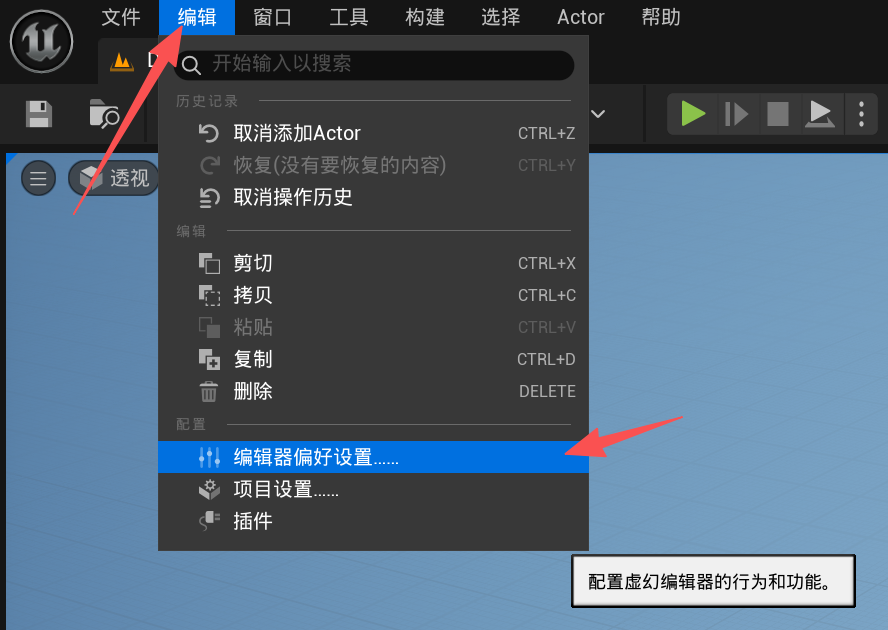
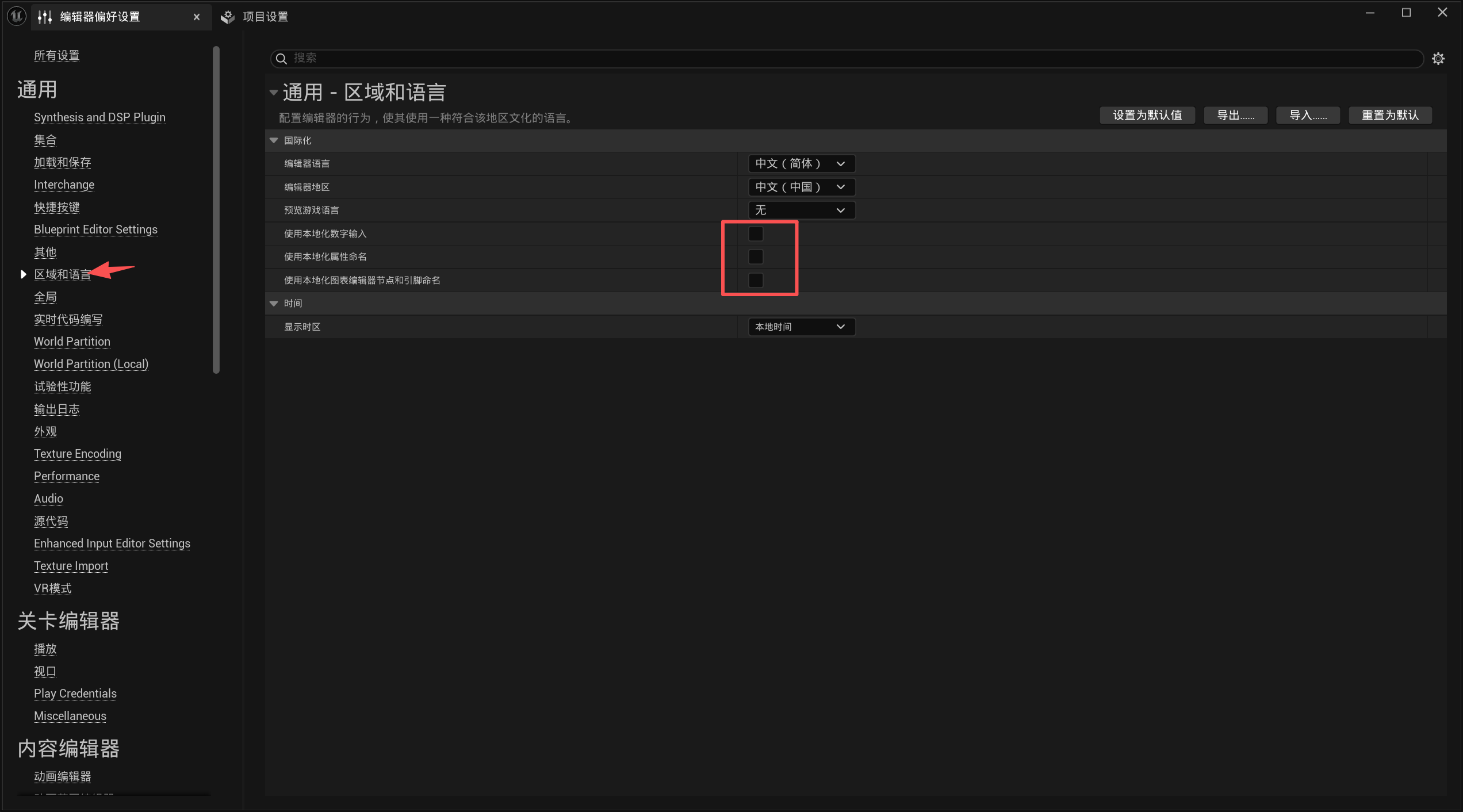
These options are checked by default in the engine, causing function names or the Details panel to appear in Chinese, which makes searching for and calling functions extremely inconvenient.
I recommend unchecking all three boxes here.
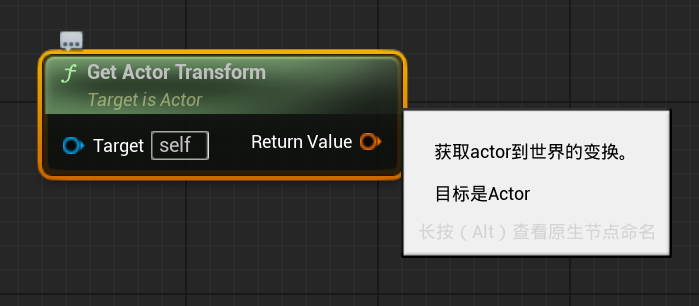
After unchecking them, functions appear like this:
The Details panel looks like this:
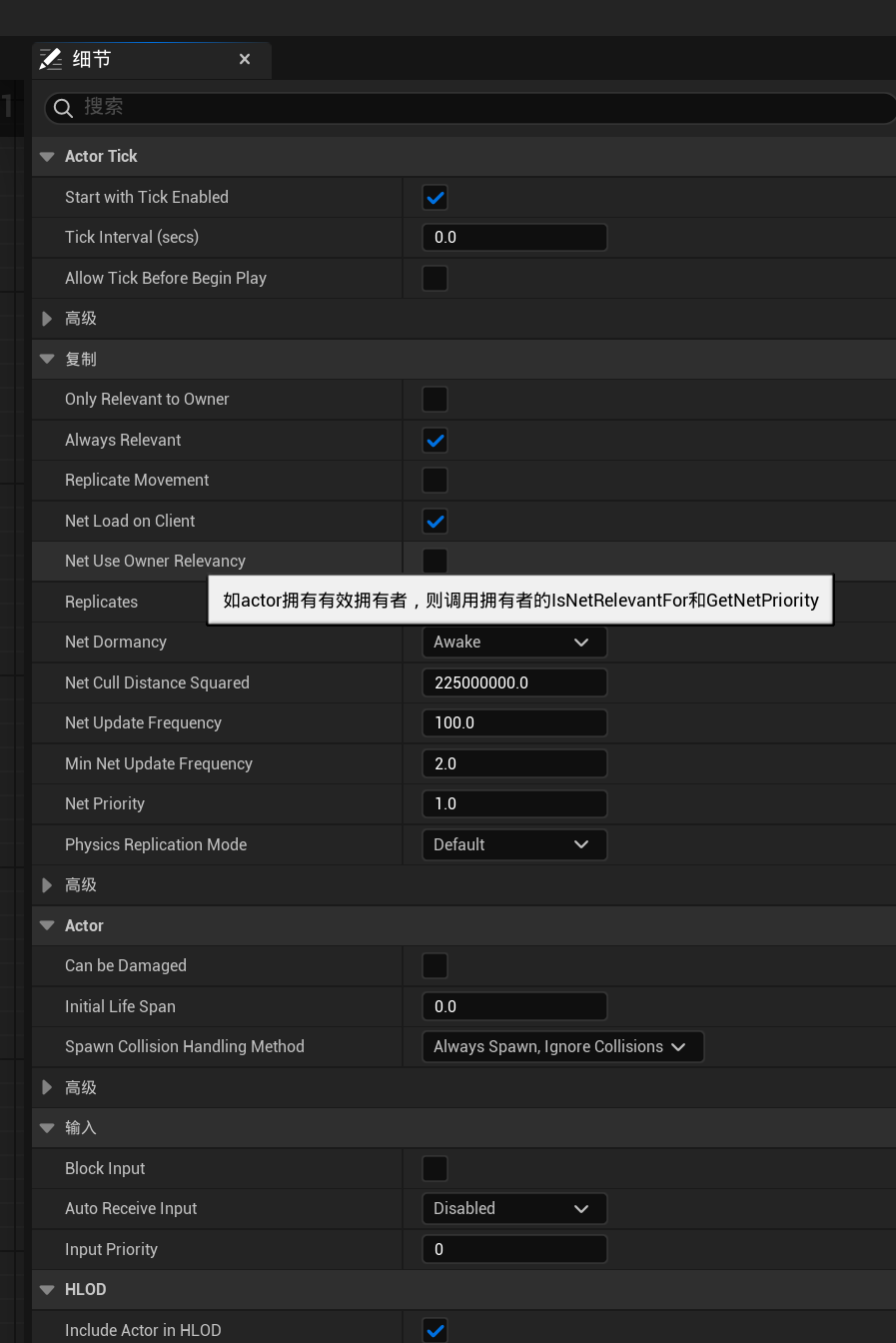
This makes function calls and source-code lookup easier, and in most cases you can still see Chinese explanations on hover, making it easier for beginners to learn and use the engine.
UE has so many features that, unless your English is very good, I recommend this approach. It can greatly improve development efficiency, help newcomers get started and adapt faster, and provide a good foundation for switching to an entirely English interface later.
These editor changes are global, so you only need to make them once for each new version. I recommend that newcomers do this as soon as they open the engine.
Thanks for reading! Likes, follows, and bookmarks are welcome. Feel free to discuss any questions in the comments.
If this article helped you, click here to donate and support the author.
