UE: Creating a Rounded Rectangle with a Material
I cannot even remember when I wrote this down. I came across it while organizing my notes. It creates a rounded rectangle with a material. Since it was intended for a project using three monitors combined into one screen, the values were set for three monitors. Please remember to adjust them if you use this.
Rounded Rectangle
Material View
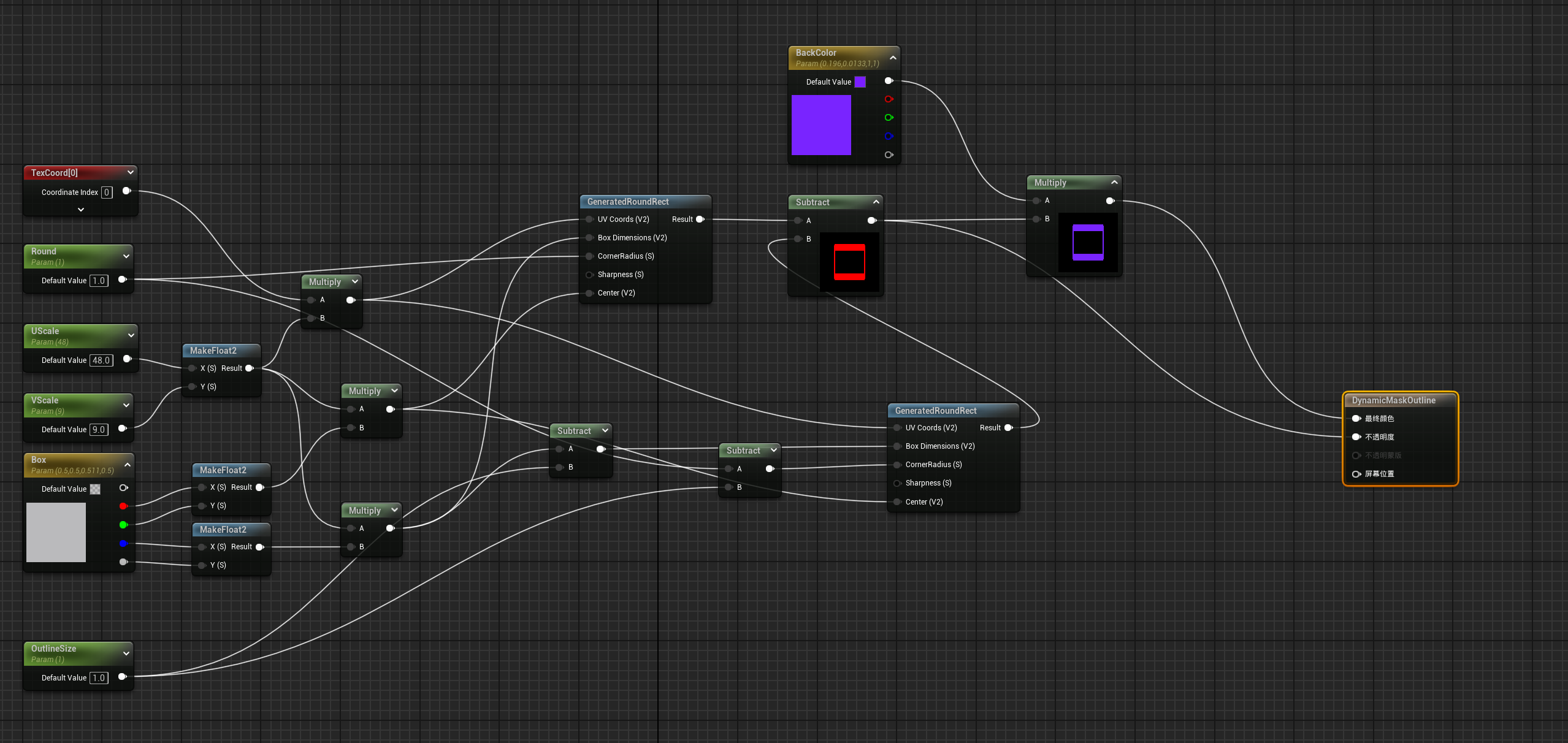
Result
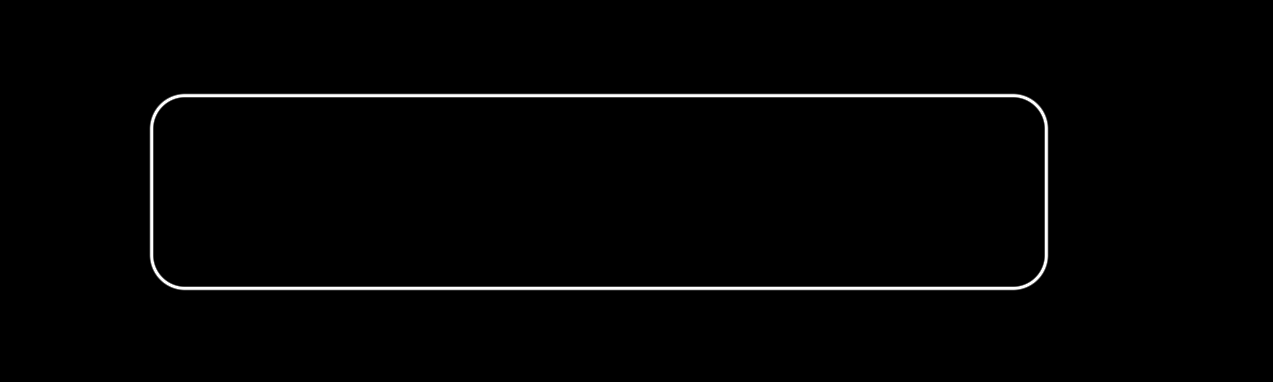
Approach
Use UE’s built-in GeneratedRoundRect function to create a rounded rectangle, then subtract a smaller one to create a rounded rectangle border.
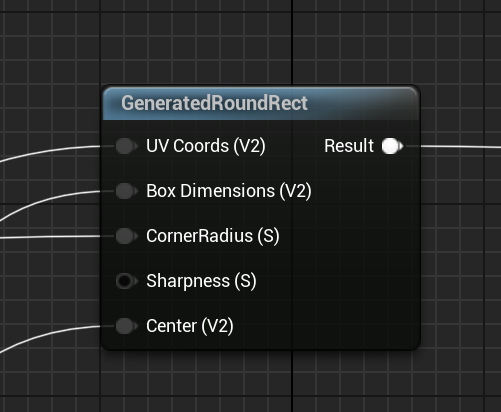
Pass in the UV, rectangle size, corner radius, default value, and center point respectively.
Because the rounded rectangle needs to be scalable, the screen’s aspect ratio must be considered.
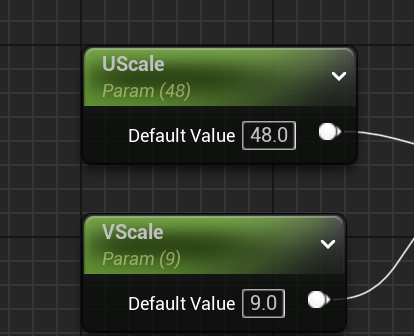
A normal screen is 16:9. This project uses three monitors, so the ratio is 48:9.
Note that:
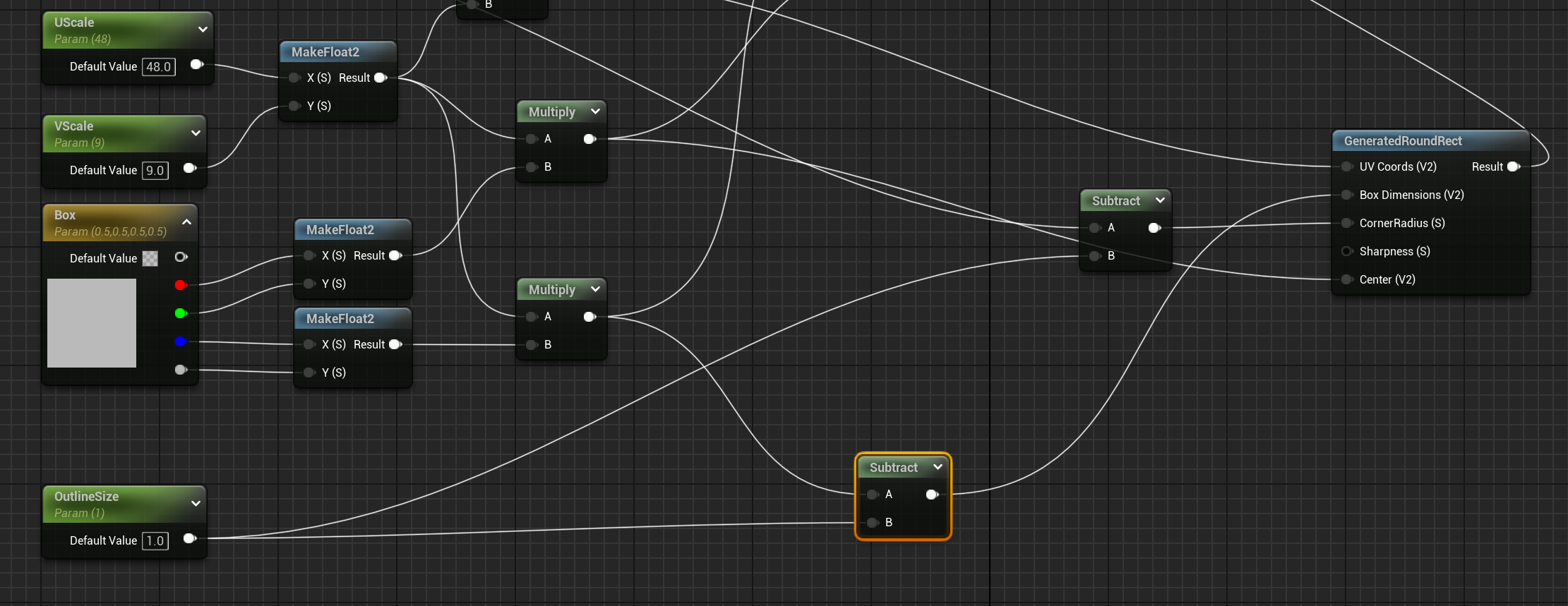
The smaller rectangle’s size is the larger rectangle’s size minus the border size.
The smaller corner radius is the larger corner radius minus the border size.
Thanks for reading. Feel free to like, follow, or bookmark this article, and discuss any questions in the comments.
If this article helped you, click here to donate and support the author.
