UE: How to See Exactly Which Files Were Packaged
Result
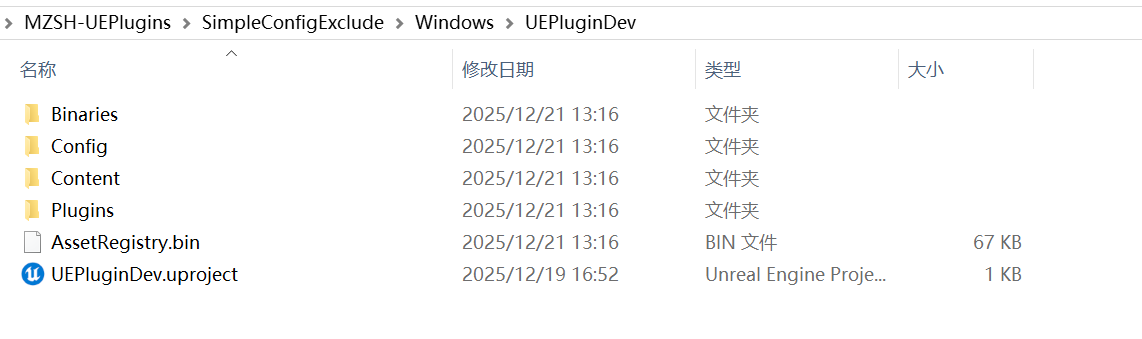
These are the files after packaging. Unlike the usual packaged files, this lets you see all the configuration files, assets, plugins, and so on included in the completed package.
How to Configure It
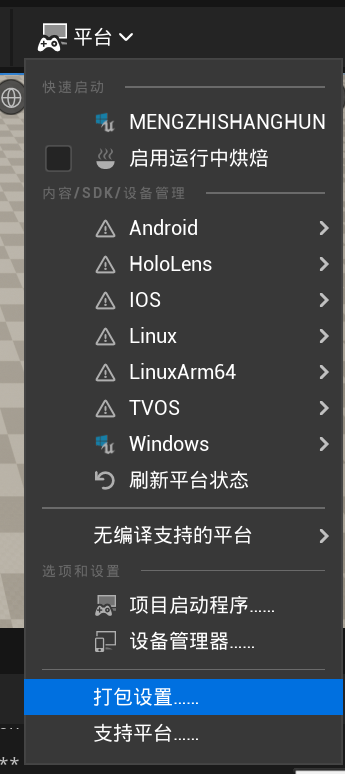
Using UE5.2 as an example, first open Packaging Settings.
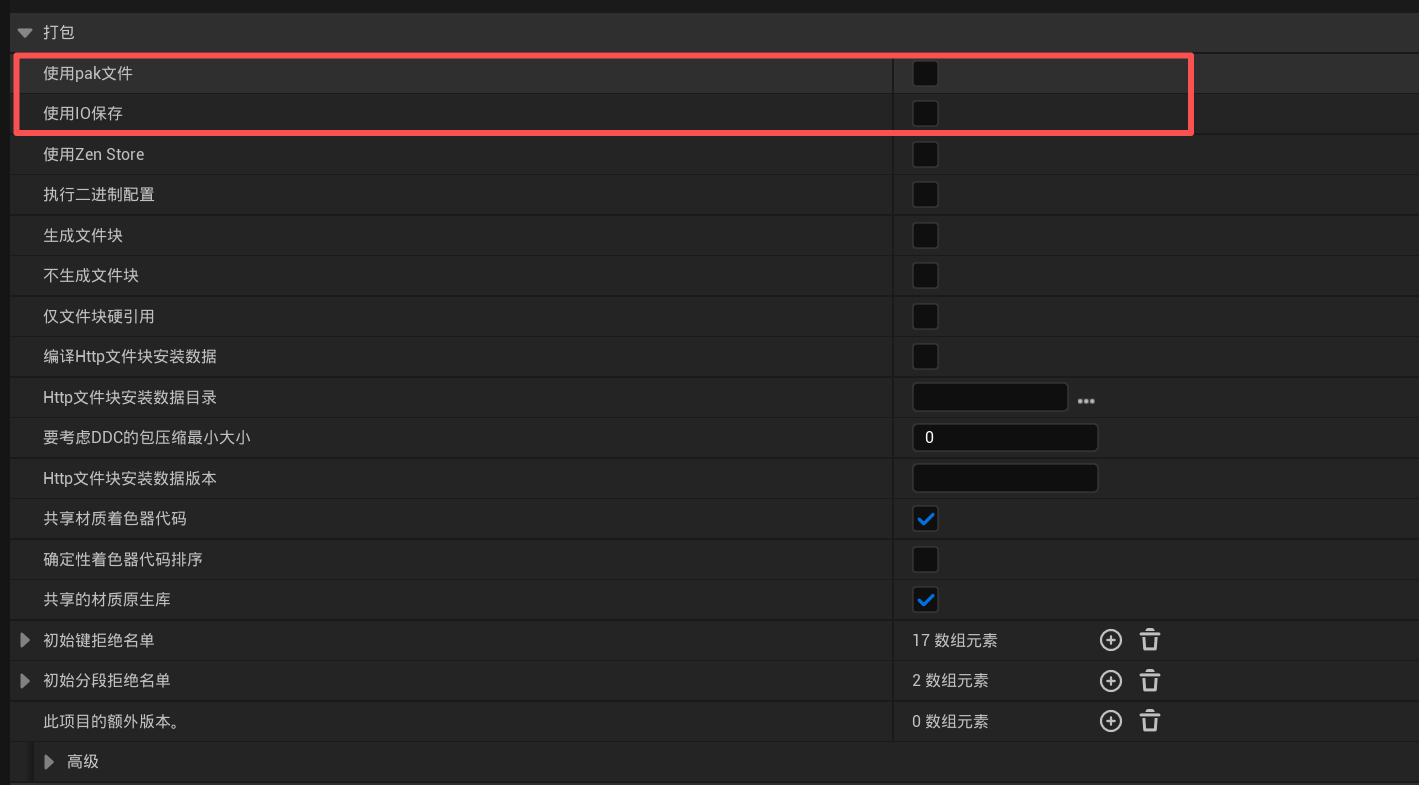
Uncheck Use Pak File and Use Io Store. Both are usually checked by default.
You can then see the project files after packaging.
Thanks for reading. Feel free to like, follow, or bookmark this article, and discuss any questions in the comments.
If this article helped you, click here to donate and support the author.
