UE: Material Basics—the If Node
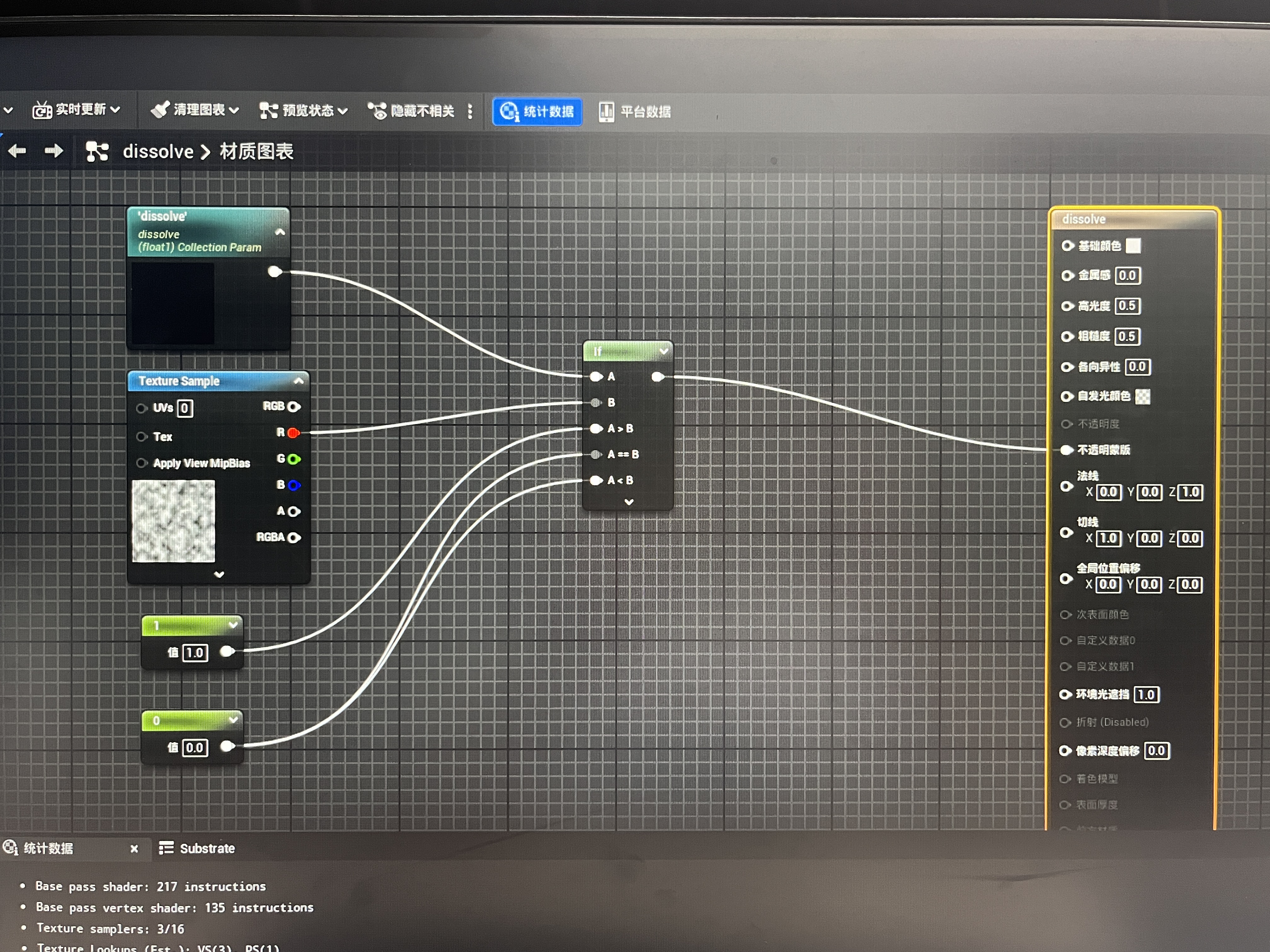
This image came from a question a beginner in the group posted a couple of days ago, asking why the material is invisible when dissolve is 0.
I had some free time today, so I thought I would write a simple tutorial explaining it.
Let’s look at the parts one by one.
The dissolve in the upper-left corner is a parameter used to obtain a value from an external source such as a material instance. It outputs a float value, which can be changed dynamically in places such as a material instance. This is one of the keys to making materials change dynamically.
TextureSample is a texture node. It has six outputs, but they are essentially the same thing. You probably know the three primary colors: red, green, and blue—these are the RGB here, Red, Green, Blue. A represents opacity.
So what do these six outputs mean? RGB outputs a vector3f, something like (Red,Green,Blue). R, G, B, and A are the red, green, blue, and alpha channels respectively. Values in all four channels are floats in the range [0,1]. The final RGBA output is therefore straightforward: it is a vector4f with one more channel, A, than RGB, in a format like (R,G,B,A).
Next is the only control-logic node in this screenshot, IF. If you have studied programming, you should know what IF means: if something is the case, then do something. This If node has five inputs and one output. Its inputs are parameter A, parameter B, the output value when A is less than B, the output value when A equals B, and the output value when A is greater than B.
So the logic in the image compares the value of dissolve with the texture’s red-channel value. Given that dissolve is 0 and the red-channel value is in [0,1], A is always less than or equal to B. The output is therefore always 0, the opacity mask value is 0, and the material is invisible.
Thanks for reading. Feel free to like, follow, bookmark, and discuss questions in the comments.
If this article helped you, click here to donate and support the author.
