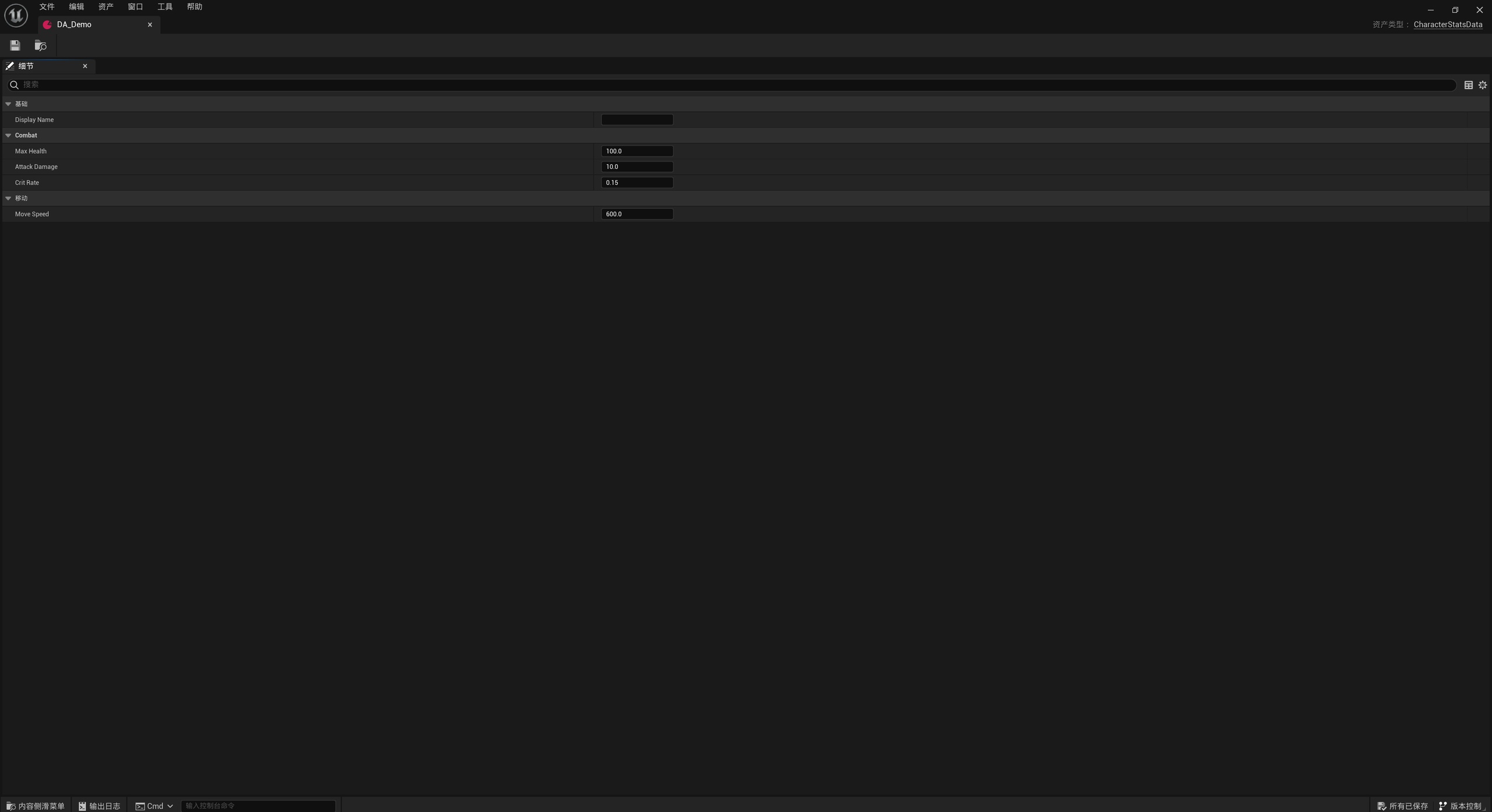
Overview
AIDataAsset lets AI read and modify complex DataAsset data through JSON and automatically synchronizes changes back to assets while the UE editor is running. With automatic synchronization enabled, the plugin handles export, file monitoring, and writing changes back, without requiring manual import and export each time.
It supports common basic types and most structs, making it suitable for AI-assisted batch field adjustments and nested configuration changes, reducing the need to expand and fill in fields individually in the editor.
Background and goals
DataAssets are stored in UE asset format, making their fields difficult for AI tools to read and modify directly. Manually transferring AI-generated results creates repetitive work when there are many fields or frequent updates.
AIDataAsset uses JSON to connect external tools with UE assets, allowing AI to handle data modifications while inspection and testing remain in the game project.
Core capabilities
DataAsset and JSON round trips
Export properties from existing DataAssets to JSON, then synchronize external edits back to the assets. Field names correspond to those shown in the editor, and floating-point output accounts for round-trip precision.
Change monitoring and synchronization control
While the editor is running, the plugin automatically monitors asset and JSON changes and prevents repeated triggers between the two synchronization directions. At startup, it also checks files on both sides and chooses a synchronization direction based on modification times.
Safeguards for editor changes
Imports support undo and redo, with version control checkout and asset saving used to handle modifications. Save failures produce warnings and still require attention in the editor; an in-memory update must not be treated as saved.
Use cases
When generating level configurations, adjusting character values in batches, or modifying nested structs, AI can read and edit JSON before the results are inspected and tested in UE. LLMs, reinforcement learning systems, and external tools such as Python can all participate in this data workflow.
Designers can also process data centrally with tools such as Excel. For team review, JSON can be output to a directory suitable for version control so field changes can be reviewed as text diffs. The default Saved output directory usually serves only as an intermediate synchronization directory.
Scope and limitations
JSON modifies existing DataAssets in UE; adding a JSON file alone does not create a new asset. Automatic monitoring works only while the editor is running and automatic synchronization is enabled.
Startup synchronization chooses its direction by file modification times and does not merge fields edited independently on both sides. Assets must be writable; invalid JSON or changes to field structures may cause imports to fail. Successful synchronization does not mean the data follows game rules, so it still requires validation in the project.
For configuration, startup synchronization rules, deletion behavior, and common questions, see the AIDataAsset documentation.
Technical Details
See the user manual for JSON selection, conversion APIs, numeric formatting, and asynchronous synchronization.