Overview
SimpleAssetCleaner checks candidate unreferenced assets in Unreal Engine projects through reference relationships. It traces direct and indirect references from configured root assets, handles candidate files during submission, and provides cleanup for the whole version-controlled project.
Results depend on root and protected path settings, so it should be used alongside project asset management rules.
Background and goals
Production leaves test materials, Blueprints, and other resources temporarily unreferenced by scenes. File names and directories alone cannot easily show whether core content still depends on them indirectly.
The tool starts from resources the project considers important to form an inspectable reference scope. Teams can review candidates before submission or consolidated cleanup while configuring special resources separately.
Core capabilities
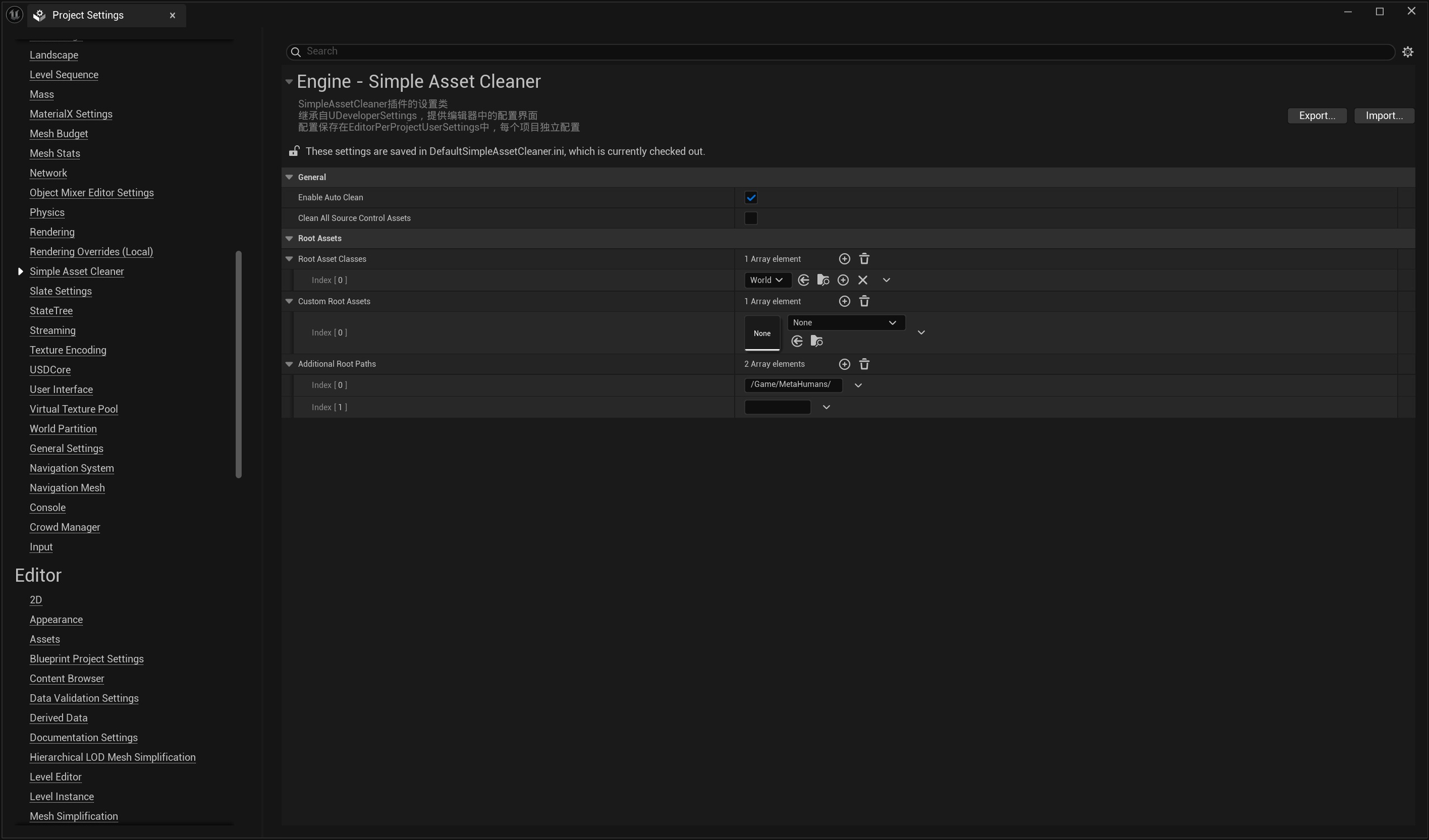
Configuring analysis roots
The tool traces reference chains from project-defined root assets and protected directories, then lists assets outside that coverage as candidates. Configure the retention scope to match actual project usage.
Handling candidates during submission
With automatic cleanup enabled, the plugin checks newly added version-controlled assets during submission. New files considered unreferenced are reverted from the submission list while local files remain, allowing developers to inspect them before deciding what to keep.
This action targets routine submissions and does not delete all historical files from disk.
Full cleanup and logs
Full cleanup scans version-controlled assets, with results available in logs. Unlike submission-time reverts, it may delete committed unreferenced resources from both version control and local storage.
Detailed logs help review processing and candidate scope during initial configuration.
Use cases
It suits teams managing UE asset accumulation, checking test resources during routine submissions, or reviewing historical resources during maintenance.
With many asset directories or indirect references, defining roots and protected paths first helps avoid decisions based only on directory names.
Scope and limitations
Reference analysis assumes configured roots. Assets outside roots or protected paths that business logic still uses in special workflows must be identified and added by the project.
Full cleanup may delete committed files. Review logs and results on a recoverable version before applying it to a production project.
For operation steps and parameter details, see the user guide.