Overview
SimpleInputSimulator provides key and axis input simulation nodes for UE Blueprints, allowing game logic to receive specified actions through its existing input pipeline.
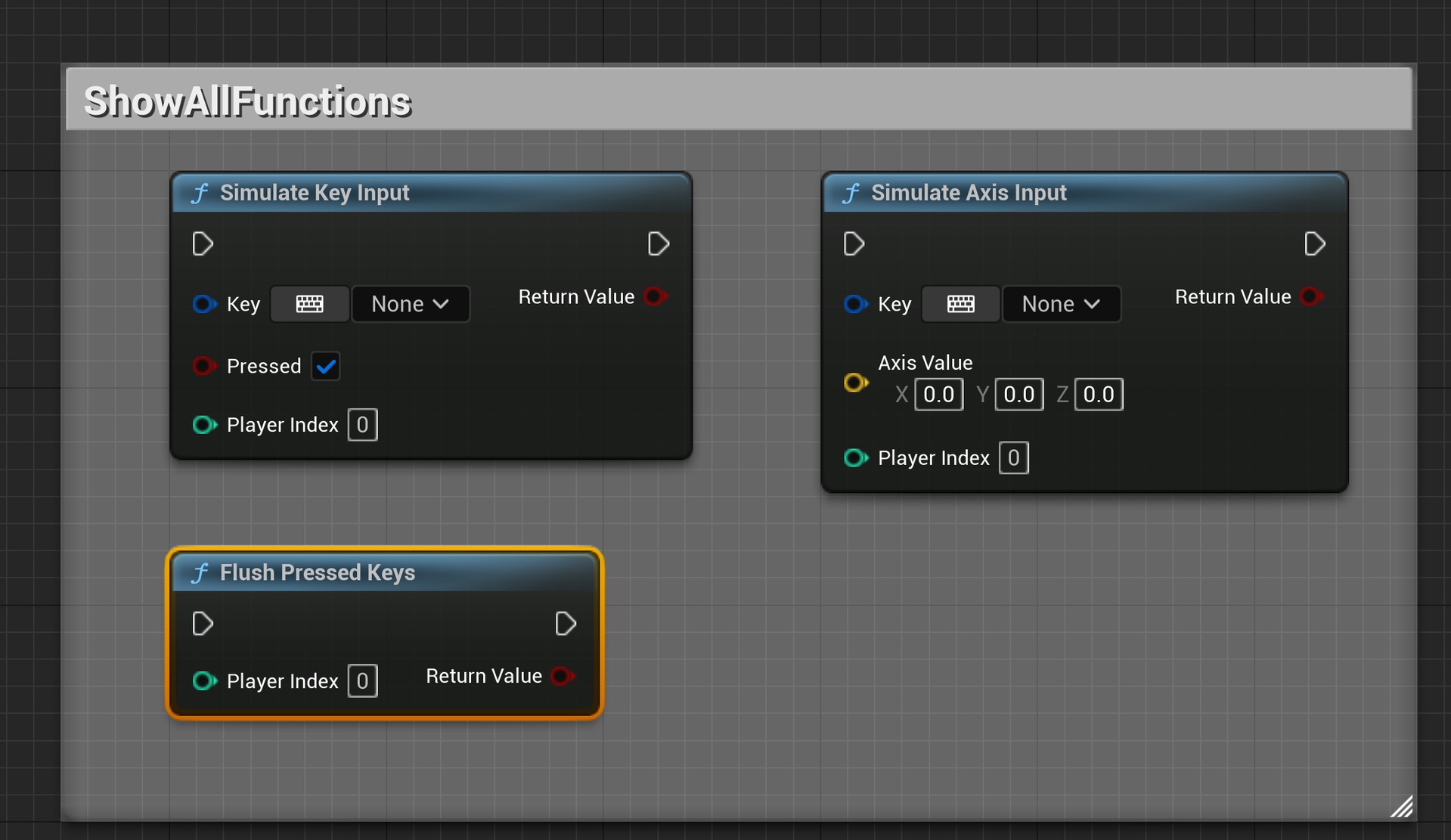
It simulates press and release events for keyboard keys, mouse buttons, and gamepad buttons, as well as axis values such as mouse movement and joystick input. It also provides an action for clearing pressed states.
Background and goals
Automated demonstrations, input debugging, and local multiplayer tests often require reproducing a sequence of actions. Calling character behavior directly may bypass the project’s actual input bindings and controller logic.
The plugin injects events through PlayerController input interfaces so scripted actions follow normal input handling as closely as possible. Users organize input sequences themselves; the plugin supplies individual input and state management nodes.
Core capabilities
Simulating key events
Press and release events for keyboard keys, mouse buttons, and gamepad buttons can be used to organize repeated actions. Each press still needs a matching release to avoid leaving a key held.
Axis input and player selection
The tool supports axis input such as mouse movement and joysticks, automatically obtains the required DeltaTime, and allows a local player to be selected.
The nodes support Legacy Input and Enhanced Input, but the project still needs valid input mappings and controllers.
State cleanup
An action for clearing pressed states helps restore the input environment after a test, demonstration, or replay.
Use cases
It suits repeated movement or jumping in smoke tests and driving existing character inputs in tutorials or exhibition demonstrations. It can also replay events with a project’s own recording system or target a second player in local multiplayer tests.
Recording, timing, and complete test assertions must be provided by higher-level logic.
Scope and limitations
The plugin simulates input events without guaranteeing that the intended action occurs. Character state, input mappings, and the current game phase still affect results.
Pair press and release events and clear state when tests finish. Input cannot be injected as intended without a valid PlayerController, so automation should check that prerequisite.
See the usage guide for steps and parameters.