UE: How to Call a DLL
Let me share my approach. I don’t know whether it’s correct, but it works, hahaha. I followed the official third-party library setup
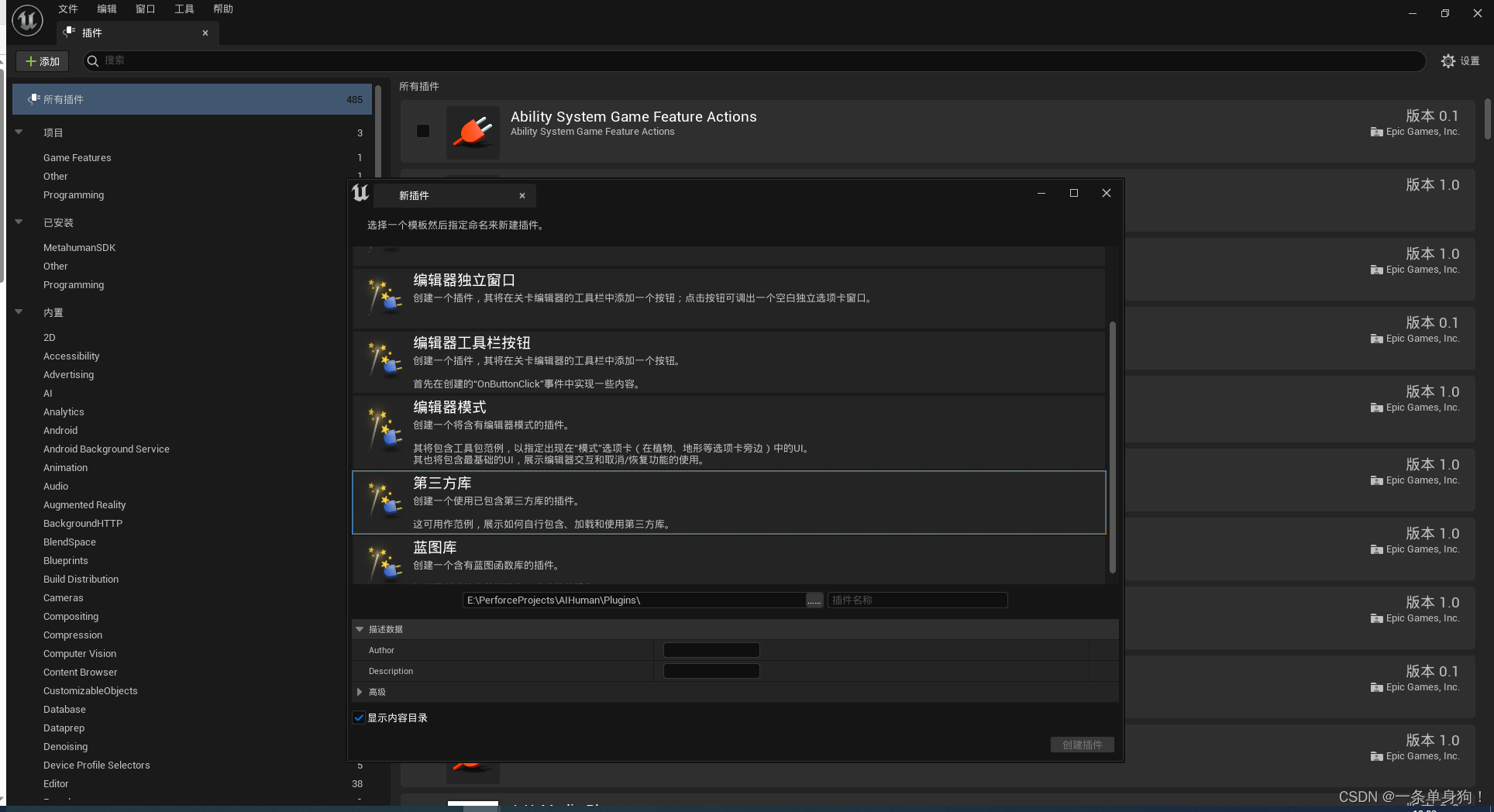
I won’t go into the whole process of packaging a DLL; I’ll just explain what to do once you have the DLL and Lib
Taking a plugin named TestThird created from the official template as an example
Put the dll and lib files in TestThird\Source\ThirdParty\TestThirdLibrary\x64\Release 然后在TestThird\Binaries\ThirdParty\TestThirdLibrary\Win64` and put a dll there
In theory, this step could be improved, for example by copying automatically, but I haven’t had time to look into it
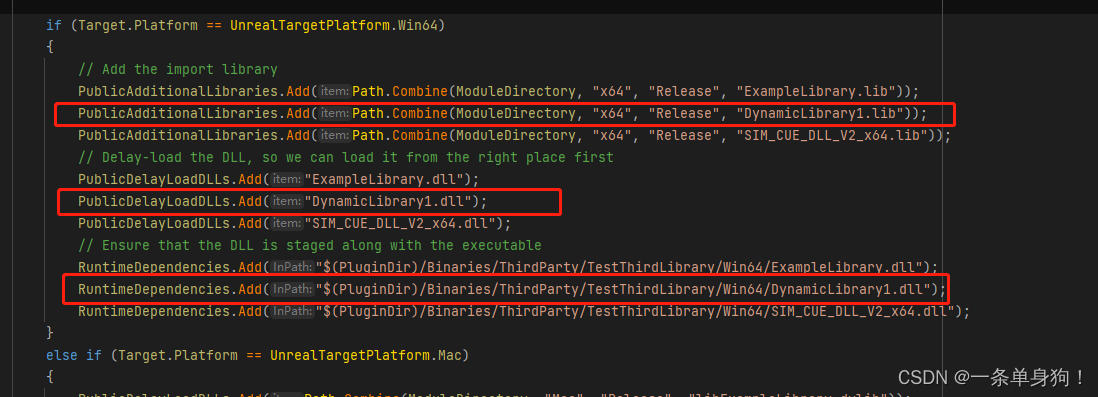
After adding them, add the following to the module’s Build.cs
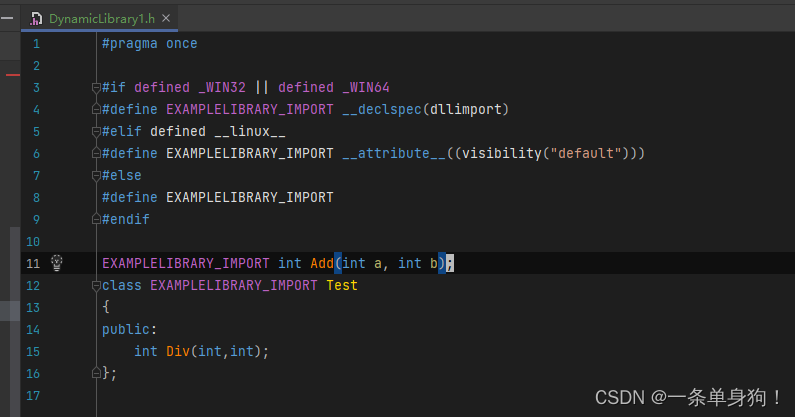
Finally, add a .h file to the module with the same name as the dll to declare the callable functions in the dll
If you don’t know which functions the DLL contains, download Dependencies
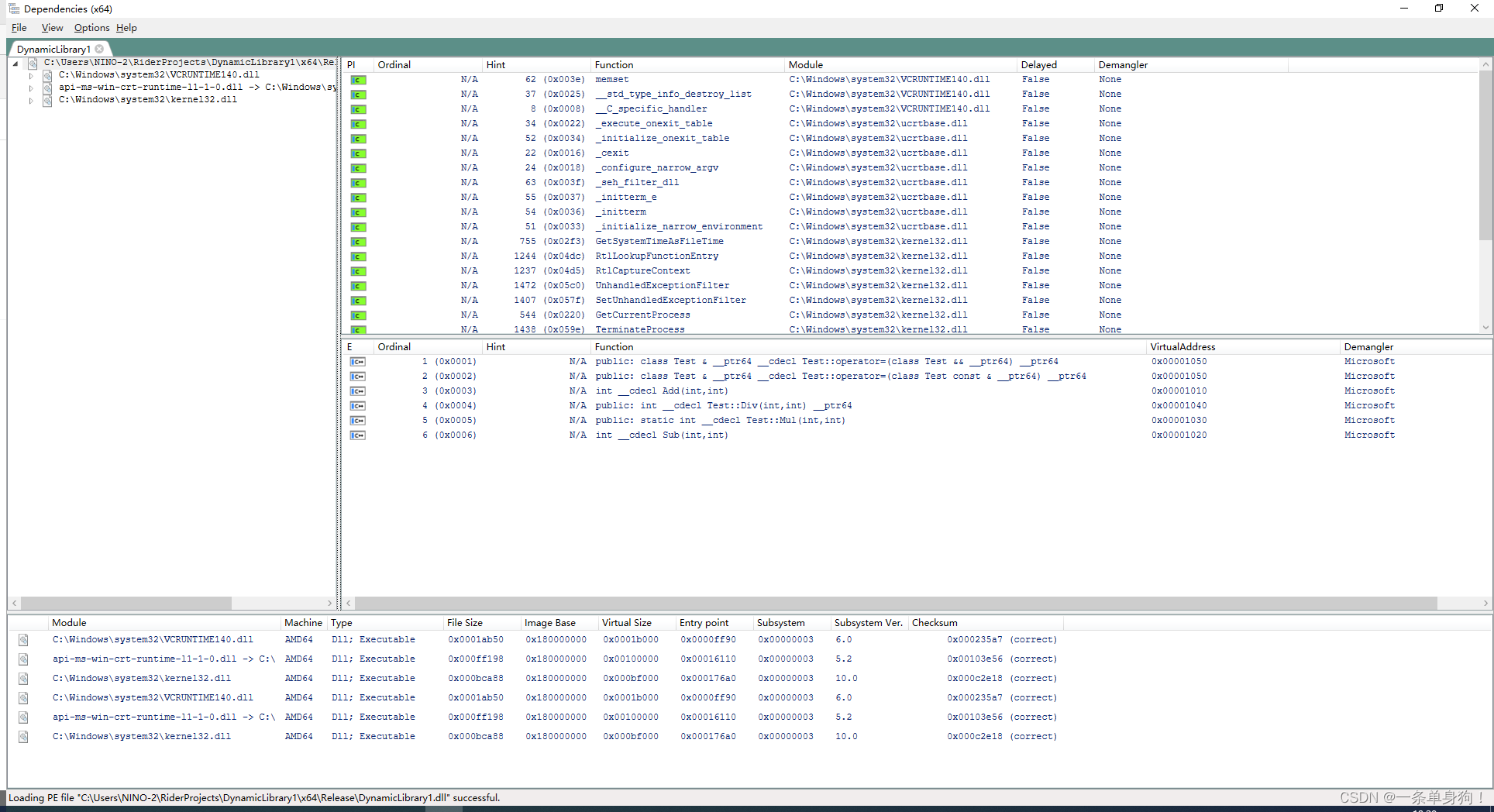
Drag the DLL into it to inspect it. It’s very convenient
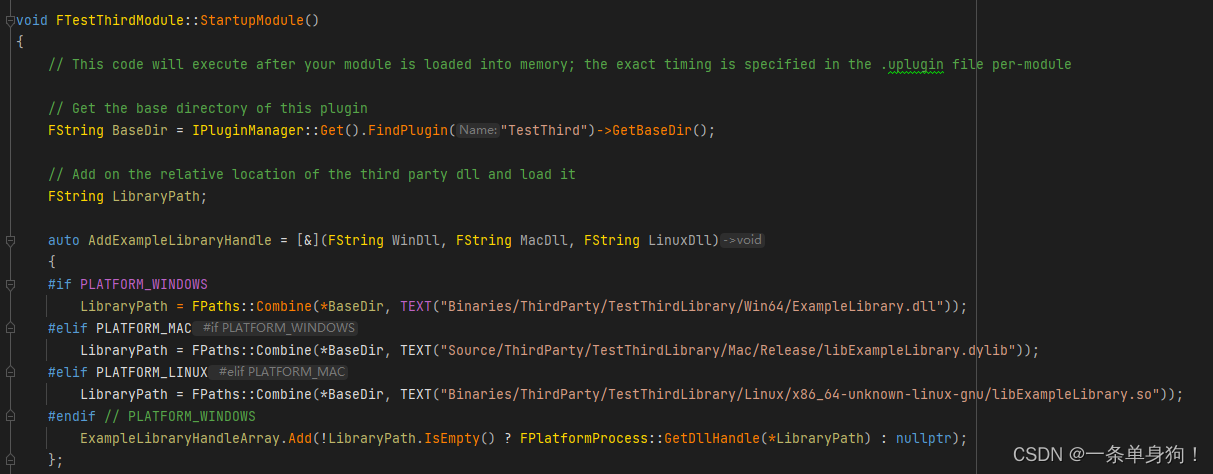
Finally, when the module loads, you need to call FPlatformProcess::GetDllHandle. I modified it a little myself, roughly
like this. Don’t copy this verbatim: I temporarily changed it for demonstration. It should actually be passed in through windll, macdll, and linuxdll
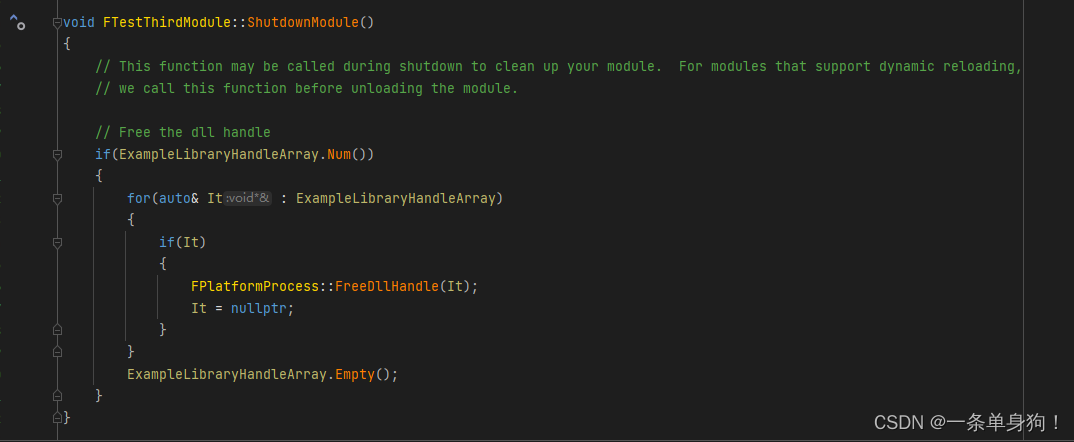
Don’t forget to call FPlatformProcess::FreeDllHandle when the module unloads
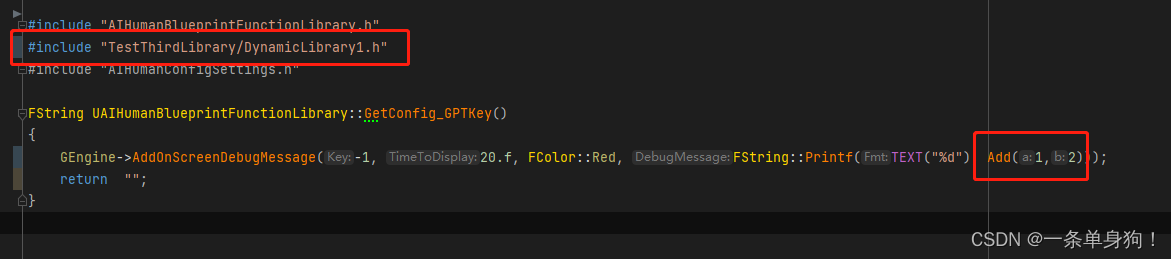
Now you can call it. It’s straightforward: include the header and call it normally
Reference documentation: Integrating Third-Party Libraries into Unreal Engine | Unreal Engine 5.4 Documentation | Epic Developer Community (epicgames.com)
Thanks for reading. Feel free to like, follow, and bookmark, and discuss any questions in the comments.
If this article helped you, click here to donate and support the author.
